

A website is often the first place potential customers go to evaluate a business. They may compare services, review credentials, explore products, check pricing, or decide whether to contact the company. If the website no longer reflects the business, makes information difficult to find, or fails to convert visitors into enquiries, it may be limiting growth.
However, a website redesign should not begin with colours, animations, or a new homepage layout. It should begin with business objectives and evidence about what is not working. A well-planned website redesign strategy connects design, content, user experience, technical performance, search engine optimisation (SEO), and conversion goals to create a website that supports business growth.
The objective is to build a website that supports how the business operates today and where it intends to go next. In this guide, we explain when to redesign a website, the benefits businesses can expect, how to decide between a redesign and smaller improvements, and how to manage the project without unnecessarily risking existing search visibility.
What Is a Website Redesign Strategy?
A website redesign strategy is a structured plan for evaluating an existing website, identifying its weaknesses, defining business and user goals, and improving its design, content, functionality, performance, and conversion paths. It goes beyond changing the visual appearance of a website.
Depending on the business’s needs, a redesign may involve:
- Updating the visual identity, typography, colours, layouts, and imagery.
- Improving navigation and information architecture.
- Rewriting service pages, product descriptions, and landing pages.
- Improving mobile usability and page-loading performance.
- Making enquiry forms and calls to action more effective.
- Improving accessibility, security, and technical reliability.
- Updating the content management system or application architecture.
- Preserving valuable SEO content, URLs, backlinks, and analytics tracking.
For example, a B2B software company may have a visually attractive website but struggle to generate qualified demo requests. Its problem may be unclear positioning, weak product messaging, or a complicated enquiry process rather than the design itself. A redesign strategy would investigate those issues before deciding what to change.
The key principle: redesign the website to solve a business problem, not simply because the current design looks old.
Why Website Redesign Matters for Growing Businesses
A business website redesign becomes worth considering when a company’s online presence no longer reflects its services, target audience, market position, or growth objectives. A company might introduce new services, expand into new markets, target larger customers, or adopt a different sales process. Yet its website may still contain outdated messaging, an old service structure, limited case studies, or calls to action designed for an earlier stage of the business.
This creates a gap between what the business offers and what visitors understand. A business website redesign can help close this gap by aligning website messaging, service information, navigation, and conversion paths with current business objectives.
A strategic redesign can help close that gap by making the company’s value proposition clearer, improving the user journey, strengthening credibility, and supporting measurable business objectives. The redesign should also consider the website’s existing value. Search traffic, useful content, backlinks, returning visitors, conversion data, and established URLs are assets to protect-not obstacles to remove.
10 Signs Your Business Website Needs a Redesign
Not every website needs a complete rebuild. However, the following warning signs can indicate that a redesign or substantial improvement project is worth considering. Understanding when to redesign website elements or the entire site helps businesses identify usability, technical, and conversion problems that require attention.
1. Your Website No Longer Reflects Your Business
Businesses evolve. They add new services, change their target audiences, enter new markets, or develop more specialised expertise. An outdated website may still describe an old service offering, use messaging that no longer reflects the company’s positioning, or communicate a level of capability that no longer matches the business. This can confuse potential customers and make it harder for sales teams to communicate the company’s current value.
What to do: review the homepage, About page, service pages, case studies, team information, and calls to action. Check whether each page accurately represents the business today. If the problem is limited to a few pages, a content update may be enough. If the entire website has an outdated structure and message, a broader redesign may be justified.
2. Website Traffic Is Not Generating Enough Enquiries
A website can attract visitors without producing meaningful business results. For example, a consulting firm may receive organic search traffic but generate few consultation requests. An industrial manufacturer may receive product-page visits but very few specification enquiries. A software company may attract potential customers but struggle to convert them into demo bookings.
Possible causes include:
- Unclear service benefits or product positioning.
- Calls to action that are difficult to find.
- Forms that request too much information.
- Missing trust signals, credentials, or relevant proof.
- A mismatch between the visitor’s search intent and the landing page.
- Slow or confusing mobile experiences.
Before redesigning, review conversion data and user behaviour. Low conversions do not automatically mean the design is the problem; pricing, lead quality, traffic sources, offer relevance, and sales follow-up can also affect results.
What to do: identify the pages that receive meaningful traffic but generate few qualified enquiries. Test clearer messaging, stronger calls to action, simpler forms, and improved page structure before committing to a full rebuild.
3. Your Website Is Difficult to Use on Mobile
Customers increasingly interact with business websites through smartphones. If visitors need to zoom in to read text, struggle to tap buttons, encounter overlapping elements, or cannot complete forms easily, the experience creates unnecessary friction.
Mobile problems can be particularly costly for businesses whose customers discover them through local searches, paid advertising, social media, or mobile email.
Check whether:
- Text is readable without zooming.
- Navigation works on smaller screens.
- Buttons and links are easy to tap.
- Forms are practical to complete on mobile.
- Important content appears without excessive scrolling.
- Pop-ups do not obstruct essential information.
- Images and layouts adapt to different screen sizes.
What to do: test the main customer journey on real mobile devices, including service discovery, product research, form submission, and contact actions. If the problems are caused by isolated templates, targeted fixes may be sufficient. If the entire site is built around a poor mobile experience, redesigning the templates may be more effective.
4. Your Website Loads Slowly or Feels Unresponsive
Website performance affects how easily visitors can access information and interact with a page. Heavy images, excessive scripts, poorly configured caching, slow server responses, and inefficient code can all contribute to a poor experience. Google’s Core Web Vitals measure loading performance, responsiveness, and visual stability.
Its recommended thresholds for a good user experience are:
| Metric | What it measures | Recommended good result |
| Largest Contentful Paint (LCP) | Loading of the main visible content | 2.5 seconds or less |
| Interaction to Next Paint (INP) | Responsiveness to user interactions | 200 milliseconds or less |
| Cumulative Layout Shift (CLS) | Unexpected visual movement | 0.1 or less |
These metrics should be evaluated using field data where available, alongside technical diagnostics. Passing the thresholds does not guarantee top search rankings, and a redesign is not the only way to improve them.
What to do: use performance diagnostics to identify the actual bottlenecks. If oversized images or a few scripts are responsible, optimise them first. If the site’s underlying architecture consistently prevents acceptable performance, a technical rebuild may be worth evaluating.
5. Visitors Cannot Find Important Information
Confusing navigation can prevent visitors from understanding what a business offers. A website may have grown organically over several years, with new pages added whenever a new service or campaign launches. The result can be overlapping categories, buried information, duplicated pages, and an unclear path from the homepage to an enquiry.
Visitors should be able to answer three questions quickly:
- What does this business offer?
- Is it relevant to my needs?
- What should I do next?
What to do: map the existing pages and group them around user needs. Give important services, products, industries, resources, and contact options clear positions in the navigation. Use analytics, customer questions, sales feedback, and user testing to validate the new structure.
6. Your Website Looks Outdated Compared With Your Market Position
A website does not need to follow every design trend. However, if its visual presentation contradicts the quality, professionalism, or sophistication of the business, it may weaken trust. Warning signs include inconsistent typography, low-quality imagery, cluttered layouts, dated graphics, poor spacing, and a visual identity that no longer matches the brand. The issue is not whether competitors have newer websites. It is whether your website helps prospective customers understand your quality, expertise, and differentiation.
What to do: establish design principles that support your brand and audience. Use clear typography, consistent spacing, relevant imagery, accessible colour contrast, and a visual hierarchy that directs attention towards important information.
7. Your Content No Longer Matches Customer Needs
A redesign may be necessary when the website’s content architecture no longer supports the way customers research and evaluate solutions. For example, a company that once offered three services may now serve several industries with different requirements.
A single generic services page may no longer explain the value of each offering. Other warning signs include outdated pricing information, unsupported claims, thin service pages, duplicated content, irrelevant calls to action, and missing answers to common sales questions.
What to do: conduct a content audit before changing the design. Classify pages as retain, update, consolidate, redirect, or remove. Preserve useful content and improve pages that already attract relevant search traffic or generate enquiries.
8. Your Website Is Difficult to Update
A website can become a bottleneck when every content change requires developer involvement or when the underlying platform is difficult to maintain. Marketing teams may be unable to publish new landing pages, update service information, add resources, or test campaigns without waiting for technical support. This can slow marketing execution and increase operational costs.
What to do: evaluate the content management system, editing workflow, integrations, permissions, hosting, and maintenance requirements. A better CMS or improved page templates may solve the problem without rebuilding every part of the website. For more complex businesses, a redesign may also provide an opportunity to modernise the underlying application architecture.
9. Your Website Has Technical or Security Limitations
Older websites can rely on unsupported software, outdated plugins, fragile integrations, or architectures that are difficult to secure and extend.
Potential problems include:
- Software components that no longer receive security updates.
- Frequent errors or broken functionality.
- Poor integration with CRM or marketing systems.
- Difficulties implementing accessibility improvements.
- Inadequate backup or recovery processes.
- Limited support for new business requirements.
What to do: commission a technical audit. Separate urgent security and maintenance issues from longer-term architectural limitations. A targeted upgrade may be appropriate; a rebuild is more compelling when the existing platform cannot safely or reliably support required functionality.
10. Your Business Strategy Has Changed
A redesign can become necessary when the business moves into a new stage of growth.
Examples include:
- Expanding from a local market into multiple regions.
- Moving from small customers towards enterprise accounts.
- Launching new products or service lines.
- Building a content-led lead-generation strategy.
- Introducing online ordering, customer portals, or self-service features.
- Changing from a generalist position to a specialised offering.
In these situations, the website may need a new information architecture, different landing pages, stronger evidence of expertise, or new integrations.
What to do: begin with the business strategy and customer journey. Determine which website changes are required to support the new direction, then scope the project around those needs.
When Should You Redesign Your Website?
There is no universal rule that a website must be redesigned every two, three, or five years. Understanding when to redesign website pages or the entire site depends on business goals, website performance, technical condition, and changing customer expectations.
The right timing depends on performance, business requirements, technical condition, and customer expectations. A website that is several years old may still perform effectively. A much newer website may already be inadequate if it was built on the wrong assumptions or cannot support the business’s current needs.
Use the following decision framework:
| Situation | Recommended action |
| The website looks dated, but leads and usability are strong | Refresh visual elements selectively |
| A few pages have poor conversion rates | Optimise those pages and test changes |
| Mobile experience is weak across most templates | Consider a responsive redesign |
| Search traffic is declining | Diagnose technical SEO, content, competition, and demand before redesigning |
| The business has expanded significantly | Review site architecture and messaging; redesign if the current structure cannot support the offering |
| The CMS is difficult to maintain | Evaluate a platform or workflow upgrade |
| Security or architecture prevents essential functionality | Plan a technical upgrade or rebuild |
| The website consistently fails key business goals across multiple areas | Consider a strategic, full-site redesign |
The important distinction is between a symptom and its cause. A traffic decline, for instance, may result from changing search demand or weaker content rather than an outdated visual design. Rebuilding the website without diagnosing the cause can consume budget without solving the underlying issue.
Is Your Website Ready for a Redesign? A Quick Assessment
Use this checklist to identify the areas that deserve investigation.
Website readiness checklist
- Select the statements that are currently true for your business.
- The website reflects our current services and positioning
- Visitors can find important services and information easily
- The mobile journey works smoothly
- Core pages load and respond reliably
- The website generates the qualified leads or sales we need
- Our content answers customers’ main questions
- The CMS and integrations support our current workflow
- We can measure enquiries, sales and other important actions
There are several areas to investigate. This is an initial screening, not proof that a full redesign is required. Validate the problems and their business impact before deciding on scope.
Reset checklist
This assessment is a practical screening tool, not a formal audit. The final decision should be based on the severity of the issues, the cost of fixing them, and the value the improvements could deliver.
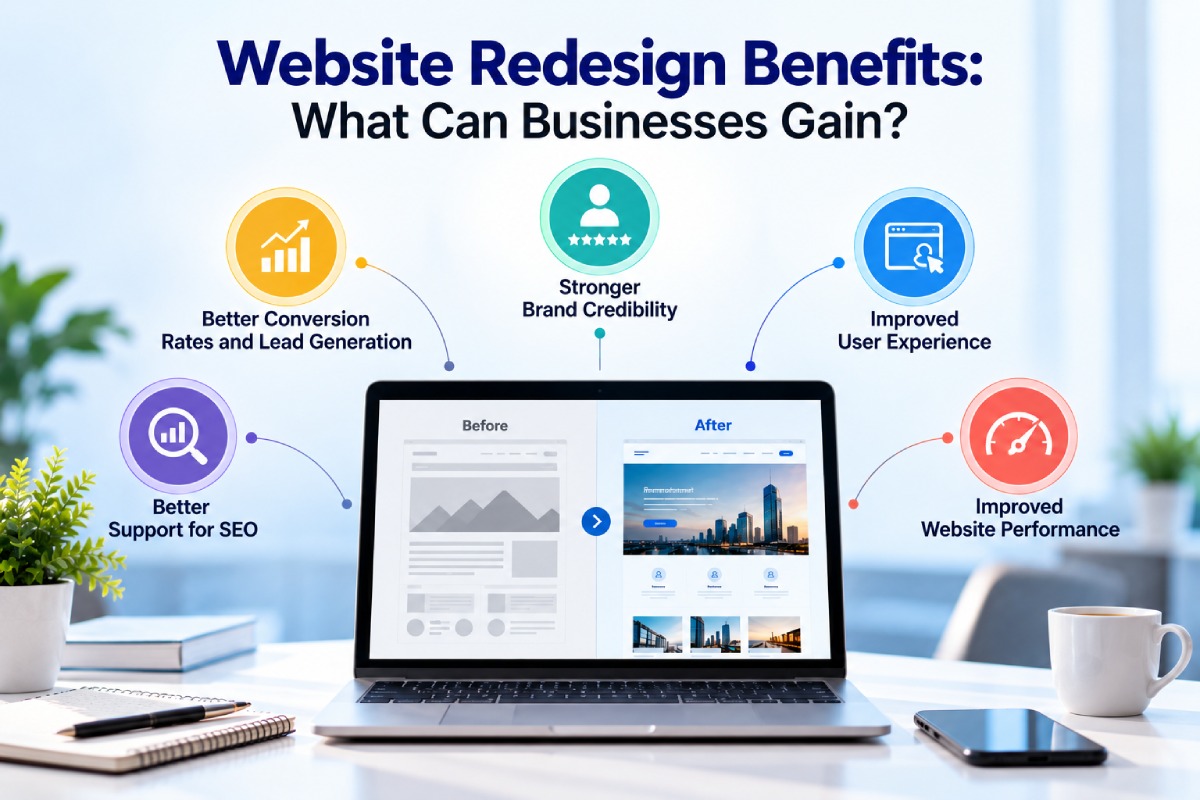
Website Redesign Benefits: What Can Businesses Gain?
The website redesign benefits a business can achieve depend on its objectives, existing website problems, and the quality of implementation. Define measurable outcomes before starting the project to evaluate whether the investment delivers value.
1. Better Conversion Rates and Lead Generation
A well-structured website helps visitors understand an offer and take the next step. Improvements may include clearer service messaging, more relevant landing pages, stronger calls to action, simplified forms, and trust signals placed near important decisions.
For a B2B company, the desired action may be a consultation or demo request. For an ecommerce business, it may be a completed purchase. For a manufacturer, it could be a product enquiry or technical specification request. How to measure it: track qualified enquiry volume, conversion rate by landing page, form completion rate, and the proportion of leads that become sales opportunities.
2. Stronger Brand Credibility
Potential customers use a website to evaluate whether a company appears relevant, credible, and capable of delivering what it promises. A redesign can improve credibility through consistent branding, accurate service descriptions, genuine client testimonials, relevant certifications, case studies, clear company information, and professional presentation. Trust signals should be authentic and verifiable. Design alone cannot compensate for weak service quality or unsupported marketing claims.
How to measure it: combine user feedback and usability testing with enquiry quality, engagement with case studies, and the number of qualified visitors who progress to contact or purchase.
3. Improved User Experience
A good user experience reduces the effort required to complete a task. Clear navigation, logical page layouts, readable content, predictable interactions, accessible forms, and consistent design patterns make the website easier to use. This matters especially when a business offers multiple services or serves customers who need to compare complex options before making a decision.
How to measure it: observe task completion in usability tests, monitor form abandonment, examine navigation behaviour, and review relevant engagement and conversion data.
4. Better Support for SEO
A redesign can create an opportunity to improve technical foundations, internal linking, mobile usability, content structure, metadata, page performance, and indexability. However, a new design does not automatically improve Google rankings. Search visibility depends on multiple factors, including relevance, content quality, technical accessibility, competition, and other search systems.
A redesign can also damage existing visibility if valuable pages are deleted, URLs change without appropriate redirects, or important content and internal links disappear. Google recommends planning site moves carefully, mapping old URLs to their new destinations where needed, implementing appropriate permanent redirects, updating sitemaps, and monitoring Search Console.
How to measure it: track organic clicks and impressions, non-branded search visibility, indexed pages, important landing-page traffic, and organic conversions. Compare results with the pre-redesign baseline and account for seasonality and broader search changes.
5. Improved Website Performance
Redesign work can remove unnecessary code, optimise images, simplify scripts, improve caching, and modernise components that contribute to slow or unstable pages. Performance improvements can make the site more comfortable to use and reduce friction in important journeys.
The extent of the benefit depends on the original problems and the implementation. A visually modern website can still be slow if it relies on oversized media, excessive JavaScript, or poorly configured third-party tools.
How to measure it: review Core Web Vitals, real-user performance data, page-loading behaviour, and the responsiveness of important interactions.
6. Easier Content Management and Marketing Execution
A redesign can make routine updates easier by introducing reusable page templates, structured content fields, clear publishing permissions, and integrations with marketing systems. Marketing teams may then be able to launch campaigns, update services, publish educational resources, and create landing pages with less developer involvement.
How to measure it: monitor the time required to publish updates, the number of manual steps in publishing workflows, campaign launch time, and maintenance effort.
7. Better Alignment With Sales and Business Goals
A website should support the way the business acquires and serves customers. For example, an enterprise software company may need industry-specific landing pages, detailed solution information, demo booking, and CRM integration.
A service business may prioritise location pages, consultation requests, and clear service descriptions. A redesign can connect marketing activity with the next step in the customer journey.
How to measure it: track lead quality, conversion by service or industry, sales-qualified opportunities, and how effectively the website supports sales conversations.
Website Redesign vs Website Refresh: Which Is Better?
Understanding website refresh vs redesign helps businesses choose between targeted improvements and a broader transformation based on their website’s performance, technical condition, and business requirements.
A redesign typically changes several connected elements of the website. A refresh is narrower and may involve visual updates, content improvements, performance fixes, or changes to selected page templates.
| Factor | Website refresh | Full website redesign |
| Scope | Specific pages or components | Multiple parts or the whole site |
| Visual design | Selective updates | New design system or layout |
| Navigation | Minor adjustments | Potential restructuring |
| Content | Updates to existing pages | Broader content and architecture review |
| Technology | Usually retains the existing platform | May retain or replace the platform |
| SEO risk | Often lower if URLs and content remain stable | Can be higher if URLs, content, or templates change |
| Investment | Often lower | Usually greater |
| Best suited to | Isolated problems with a sound foundation | Widespread problems or major business changes |
Choose a Website Refresh When:
- The overall site structure works.
- The platform is secure and maintainable.
- Only selected pages need improvement.
- The primary issues are visual consistency, messaging, or conversion friction.
- Existing SEO performance is valuable, and a larger change is not justified.
Choose a Full Website Redesign When:
- Navigation and information architecture no longer match the business.
- Major usability problems affect most page templates.
- The current platform cannot support important functionality.
- The business has changed its positioning, audience, or service model.
- Multiple technical, content, design, and conversion problems need to be addressed together.
A redesign does not necessarily require a new technology stack. Businesses can redesign the frontend and preserve a suitable backend or CMS. Likewise, a new platform does not guarantee a better user experience. Scope the project around the problems that need solving.
How to Build an Effective Website Redesign Strategy
An effective website redesign strategy follows a defined process that helps businesses prioritise valuable improvements, reduce uncertainty, and protect existing website assets. A structured website redesign process covers research, planning, content improvements, development, SEO protection, testing, and post-launch measurement.
The steps below help businesses reduce uncertainty, prioritise valuable improvements, and protect the assets already built into the website.
Step 1: Audit the Existing Website
Before changing anything, establish how the current website performs. A reliable website redesign process begins with performance data and a clear understanding of the problems the existing site needs to solve.
Review the following areas:
Business performance
- Which pages generate qualified enquiries or sales?
- Which services attract the most commercially relevant traffic?
- Which calls to action perform well?
- Where do visitors abandon important journeys?
User experience
- Can visitors find key information?
- Are navigation labels clear?
- Are forms easy to complete?
- Does the mobile experience work as expected?
SEO and content
- Which URLs attract organic clicks and impressions?
- Which pages earn backlinks or support conversions?
- Are there duplicate, outdated, thin, or overlapping pages?
- Are important pages internally linked and indexable?
Technical condition
- Are there broken links, server errors, or integration failures?
- Are important pages slow or unstable?
- Is the CMS maintainable and secure?
- Are analytics and conversion events working correctly?
Useful inputs include Google Analytics, Google Search Console, a site crawl, performance diagnostics, CRM data, sales-team feedback, customer interviews, and usability testing. The audit should distinguish evidence from assumptions. For example, “the homepage looks old” is an observation; “the homepage is causing lost leads” is a hypothesis that needs validation.
Step 2: Define Clear Redesign Objectives
Avoid objectives such as “make the website modern” or “improve the user experience” without defining what success means. Instead, connect the redesign to measurable business outcomes.
Examples include:
- Increase qualified enquiries from priority service pages.
- Improve completion of consultation or demo forms.
- Reduce mobile friction in the main conversion journey.
- Improve performance on key landing pages.
- Make service information easier to find.
- Reduce the time needed to publish new content.
- Improve visibility for relevant non-branded search queries.
Set targets after reviewing the baseline. The appropriate goal will vary by traffic volume, business model, lead quality, current performance, and available budget.
Step 3: Understand Your Target Audience
A website redesign should reflect how customers research, compare, and select a provider. For a business serving multiple audiences, one generic message may not be enough. Decision-makers may need different information depending on their role, industry, urgency, and familiarity with the product.
Gather insights from:
- Customer and prospect interviews.
- Frequently asked sales questions.
- CRM and enquiry data.
- Search queries and landing-page behaviour.
- Customer reviews and feedback.
- Competitor positioning and content.
- Usability tests involving representative users.
Create audience profiles around real needs and decisions rather than fictional demographic details.
For example, a procurement manager evaluating an industrial supplier may need product specifications, compliance information, delivery details, and evidence of manufacturing capability. A small business owner seeking professional services may prioritise clarity, trust, service scope, and an easy consultation process.
Step 4: Restructure the Website Around User Needs
Information architecture determines how content is grouped, labelled, and connected. Start by mapping existing pages, then decide which pages should remain, change, merge, or be removed. Design navigation around the questions users need to answer rather than the internal structure of the organisation alone.
A service business might use a structure such as:
- Home
- About the Company
- Services
- Service A
- Service B
- Service C
- Industries or Use Cases
- Case Studies
- Resources
- Contact
This is only an example. The right structure depends on the business, the number of services, search demand, and the way customers evaluate solutions. Create a sitemap and test whether representative users can find important information without unnecessary steps.
Step 5: Improve Content and Messaging
A redesign is an opportunity to clarify what the business offers and why it matters.
Each important page should communicate:
- What the product or service is.
- Who it is designed for.
- Which problem it helps solve.
- How the offering works.
- What differentiates the business.
- What evidence supports its claims.
- What the visitor should do next.
For a service page, this may mean explaining scope, process, deliverables, suitable use cases, limitations, and frequently asked questions.
For a product page, it may mean improving specifications, application information, documentation, and enquiry options. Avoid replacing useful content with vague slogans. Preserve information that helps customers make decisions, and ensure claims are accurate and supportable.

Step 6: Plan the Design and Conversion Journey
Visual design should reinforce the content hierarchy and help visitors take meaningful actions. Establish consistent rules for typography, colours, spacing, imagery, buttons, forms, and reusable page components.
Design for accessibility and mobile usability from the beginning rather than treating them as final checks. Each important page should have a clear primary action. Secondary actions can support visitors who are not ready to convert immediately.
Examples include:
- Request a consultation.
- Book a product demonstration.
- Request a quotation.
- Explore a service.
- Download a relevant guide.
- Contact the team.
The action should match the visitor’s intent. Asking every visitor to book a call may be inappropriate if they are still researching the problem.
Step 7: Protect SEO Before Development Begins
Website redesign SEO planning should begin before development so that valuable URLs, organic traffic, backlinks, content, and technical search signals are protected during the transition. Create an inventory of existing URLs and identify the pages that earn organic traffic, generate conversions, attract backlinks, or serve important user needs. For each page, decide whether to retain the URL, update the page, consolidate it with another page, or redirect it to a relevant replacement.
Review the following:
- URL structure and redirect mapping.
- Page titles and meta descriptions.
- Headings and primary page content.
- Canonical tags and indexability.
- Internal links and navigation.
- XML sitemap.
- Structured data where applicable.
- Image URLs and descriptive alt text.
- Robots directives and staging restrictions.
- Analytics and Search Console access.
If URLs need to change, map old URLs to their closest relevant new equivalents and test permanent redirects. Avoid sending unrelated old URLs to the homepage. Google’s guidance recommends updating internal links and sitemaps and monitoring the site move in Search Console.
Step 8: Develop and Test the New Website
Build the new website in a controlled development or staging environment. Testing should cover more than whether the pages look correct.
Check:
- Navigation and internal links.
- Forms, confirmation messages, and email delivery.
- CRM, payment, booking, and other integrations.
- Mobile layouts and different screen sizes.
- Browser compatibility.
- Accessibility and keyboard navigation.
- Page performance and image optimisation.
- Redirects, canonical tags, and indexing rules.
- Analytics events and conversion tracking.
- Security, backups, and recovery procedures.
Test the full customer journey, from the first landing page through to the final enquiry or purchase. A visually polished website can still fail commercially if its forms, tracking, or integrations do not work.
Step 9: Launch With a Defined Rollout Plan
Choose a launch window that gives the team time to monitor the website and respond to issues. A website redesign checklist helps the team verify essential tasks, assign responsibilities, and resolve launch issues before they affect visitors.
Before launch, confirm that backups are available, important pages have been checked, redirects are ready, analytics are working, and any staging-only noindex or crawling restrictions will be removed.
Immediately after launch:
- Test important pages and conversion journeys.
- Verify redirects and check for broken links.
- Confirm that key pages are accessible to search engines.
- Submit the updated sitemap where appropriate.
- Check analytics and conversion events.
- Monitor server errors and form submissions.
- Review Search Console for indexing or crawl issues.
Some search visibility fluctuation can occur after significant changes, particularly when URLs move. This is why pre-launch documentation and post-launch monitoring are essential.
Step 10: Measure Results and Keep Improving
The website redesign process continues after launch through performance measurement, issue resolution, and ongoing optimisation. Compare results with the baseline established during the audit. Account for seasonal changes, advertising spend, changes in search demand, and other factors that may influence performance.
Review the data regularly, identify weak points in the customer journey, and prioritise further improvements based on evidence. A website should evolve as customer needs, business goals, content, and technology change. A redesign provides a stronger foundation; ongoing optimisation helps that foundation remain useful.
Website Redesign SEO Checklist: Before, During, and After Launch
Use this website redesign checklist to protect existing search visibility and verify that important content, URLs, redirects, technical settings, and tracking are handled correctly throughout the launch.
Before launch
- Export existing URLs and record important organic landing pages.
- Record baseline clicks, impressions, rankings where available, and conversions.
- Identify pages with valuable backlinks or commercial importance.
- Decide which URLs will stay, change, merge, or be removed.
- Prepare and review the redirect map.
- Preserve useful content, metadata, internal links, and structured data where appropriate.
- Test the new site in staging without exposing unfinished pages to search indexing.
At launch
- Remove unintended staging noindex directives and crawl blocks.
- Verify canonical tags and indexability.
- Test permanent redirects and avoid redirect chains where possible.
- Check navigation, internal links, and key page content.
- Confirm that forms and analytics events work.
- Publish the correct XML sitemap.
After launch
- Monitor Google Search Console and organic landing-page traffic.
- Check for unexpected 404 errors and redirect failures.
- Investigate changes in clicks, impressions, and conversions.
- Confirm important pages are being crawled and indexed.
- Fix technical issues and update important internal links.
- Keep useful redirects in place for the long term.
The checklist is a starting point. Large websites, ecommerce platforms, multilingual sites, and websites moving to a new domain or application architecture may require more detailed migration planning.

Common Website Redesign Mistakes Businesses Should Avoid
Redesigning Based Only on Visual Preferences
Management may prefer a different colour palette or a more fashionable layout, but visual preference alone is not a reliable project brief.
Better approach: use customer research, business goals, performance data, and usability evidence to define the redesign requirements.
Ignoring Existing SEO Performance
Deleting pages or changing URLs without assessing their value can disrupt traffic and remove useful pathways for customers.
Better approach: audit existing pages, retain valuable content, map URL changes, and test redirects before launch.
Changing Too Many Things Without a Clear Baseline
A simultaneous change to the domain, CMS, URL structure, content, analytics, and design makes it harder to diagnose performance changes.
Better approach: record the baseline and sequence major changes carefully where practical. If multiple changes must happen together, document them and strengthen testing and monitoring.
Rebuilding Without Understanding the Audience
A website may look more modern while still failing to answer the questions customers actually ask.
Better approach: involve sales, support, customers, and representative users in the research and testing process.
Treating SEO as a Post-Launch Task
Technical SEO, content structure, internal links, and redirect requirements often influence design and web development decisions. Planning website redesign SEO requirements early helps prevent avoidable traffic losses, broken redirects, and indexing problems after launch.
Better approach: involve SEO specialists before information architecture and templates are finalised.
Ignoring Conversion Tracking
If form submissions, purchases, calls, and other important actions are not measured correctly, the business may be unable to determine whether the redesign has helped.
Better approach: define conversion events and test tracking before launch.
Assuming the New Website Will Solve Every Marketing Problem
A website cannot independently fix weak demand, an unsuitable offer, poor lead qualification, uncompetitive pricing, or ineffective sales follow-up.
Better approach: define which problems the website can reasonably solve and which require changes elsewhere in the business.
How Much Does a Website Redesign Cost?
Website redesign cost varies according to the scope of work, complexity, platform, number of templates, content requirements, integrations, and technical constraints. A simple brochure website refresh is a different project from a multi-service B2B website or a complex ecommerce platform.
The following factors commonly influence the budget:
| Cost factor | Why it matters |
| Research and strategy | Discovery, user research, analytics, and planning |
| Design and user experience | Wireframes, visual design, responsive layouts, and testing |
| Content and SEO | Copywriting, content audits, migration, and optimisation |
| Development | CMS configuration, custom features, and reusable components |
| Integrations | CRM, analytics, payments, booking systems, and APIs |
| Migration and testing | Redirects, data transfer, quality assurance, and launch support |
| Ongoing maintenance | Hosting, updates, monitoring, security, and future improvements |
Businesses should request a proposal that separates the essential launch scope from optional enhancements. They should also clarify who is responsible for content, SEO migration, analytics, testing, hosting, and post-launch support.
For budgeting, compare the total cost of ownership rather than the initial development quote alone. A cheaper build may require more ongoing maintenance, while an expensive rebuild may be unnecessary if a smaller set of changes would solve the problem.
How to Measure the ROI of a Website Redesign
The return on investment (ROI) of a website redesign depends on whether the improvements create enough business value to justify the project cost.
A simple framework is:
\[ \text{ROI}=\frac{\text{Incremental benefit}-\text{Total cost}}{\text{Total cost}}\times100\% \]
Incremental benefit might include additional gross profit from qualified leads or sales, savings from reduced maintenance effort, or other measurable gains attributable to the project.
Consider an illustrative example. A B2B company invests ₹6 lakh in a redesign. Over a defined evaluation period, it estimates ₹9 lakh in additional gross profit attributable to improved website performance and ₹1 lakh in verified operational savings.
- Total benefit: ₹10 lakh
- Project cost: ₹6 lakh
- Net benefit: ₹4 lakh
- Illustrative ROI: 66.7%
These figures are hypothetical, not a forecast. In practice, attribution is difficult: changes in sales activity, advertising, market demand, and conversion rates may also contribute to results. Use a consistent measurement period and make conservative assumptions.
Useful metrics include:
- Qualified leads generated through the website.
- Lead-to-opportunity and opportunity-to-sale rates.
- E-commerce revenue and gross profit.
- Conversion rate by landing page and device.
- Organic search traffic and organic conversions.
- Form completion and abandonment.
- Page performance and task completion.
- Website maintenance and publishing costs.
Do not judge the project solely by visual quality or total traffic. The more meaningful question is whether the redesigned website helps the business achieve its intended objectives.
Website Redesign Timeline: What Should Businesses Expect?
There is no fixed timeline for every redesign. A small site with a limited number of templates may require considerably less work than a large website with extensive content, multiple integrations, custom functionality, and a complex SEO migration.
A typical project includes the following phases:
| Phase | Main activities |
| Discovery and audit | Review business goals, analytics, content, technology, and audience needs |
| Strategy and architecture | Define scope, navigation, content priorities, and success metrics |
| Design | Develop wireframes, visual direction, and reusable components |
| Development | Build templates, configure the CMS, and implement integrations |
| Content and migration | Prepare content, map URLs, and configure redirects |
| Testing and launch | Validate functionality, performance, SEO, and tracking |
| Post-launch optimisation | Monitor performance, fix issues, and improve conversion paths |
The schedule depends on how quickly stakeholders approve decisions, whether content is ready, the number of templates, integration complexity, and the condition of the existing site. The best way to avoid unnecessary delays is to agree on scope, responsibilities, approval stages, and acceptance criteria before development begins.
Should You Hire a Website Redesign Agency or Manage It In-House?
The right approach depends on the complexity of the project and the expertise already available within the business.
An in-house team may be suitable when:
- The website is relatively simple.
- The company already has design, development, content, and SEO capabilities.
- The changes are incremental.
- Internal teams can manage testing and ongoing maintenance.
A specialist agency may be suitable when:
- The project requires several disciplines to work together.
- The website has complex technical or SEO requirements.
- The business lacks dedicated design or development resources.
- The redesign involves significant content restructuring or migration.
- The business needs a clearly defined project process and delivery responsibilities.
When evaluating a website redesign agency near me, ask how it handles discovery, analytics, SEO migration, content, accessibility, performance, testing, and post-launch support. Request relevant examples and clear deliverables rather than relying only on portfolio visuals.
A strong partner should explain the reasoning behind its recommendations and be willing to recommend a smaller refresh if that is the more appropriate solution.
Frequently Asked Questions About Website Redesign Strategy
1. When should a business redesign its website?
Knowing when to redesign website pages or the entire site starts with identifying persistent usability, technical, content, or conversion problems that affect business goals. The decision should be based on evidence rather than the website’s age alone.
2. What are the main benefits of a website redesign?
The main website redesign benefits include clearer brand positioning, better usability, stronger conversion paths, an improved mobile experience, easier content management, and better technical foundations. Results depend on the strategy and implementation.
3. Does redesigning a website improve SEO?
Not automatically. A redesign can improve technical accessibility, content organisation, mobile usability, and internal linking, but rankings depend on many factors. Poorly managed URL changes or removal of valuable content can harm existing search visibility.
4. Can a website redesign cause a drop in traffic?
Yes. Traffic can fluctuate after significant changes, particularly when URLs, content, internal links, or technical settings change. An SEO audit, appropriate redirects, careful testing, and post-launch monitoring help reduce avoidable risks.
5. How often should a website be redesigned?
There is no universally correct redesign interval. Review the website regularly and undertake a redesign when evidence shows that its design, architecture, functionality, or technology no longer meets business needs.
6. Is a website refresh better than a full redesign?
The choice between website refresh vs redesign depends on whether problems are isolated or affect the wider website. A refresh suits targeted improvements, while a full redesign is more appropriate for widespread structural, technical, content, or usability issues.
7. What should be included in a website redesign project?
A project may include discovery, analytics review, user research, information architecture, design, content development, technical development, SEO migration, integrations, quality assurance, launch planning, and post-launch optimisation. The exact scope should reflect the business’s needs.
8. How do you protect SEO during a website redesign?
Record existing performance, audit important URLs, preserve valuable content, map URL changes, implement relevant permanent redirects, update internal links and sitemaps, verify indexability, and monitor Search Console after launch.
9. How much does a website redesign cost?
The cost depends on the number of pages and templates, design complexity, content requirements, platform, integrations, migration work, and ongoing support. A business should obtain a scoped proposal rather than relying on a generic price estimate.
10. What metrics should be tracked after a redesign?
Track metrics connected to the project’s objectives, such as qualified leads, conversion rates, sales, organic clicks, landing-page performance, form completion, Core Web Vitals, and publishing or maintenance effort. Compare these with a reliable pre-launch baseline.
11. Should website content be rewritten during a redesign?
Only where there is a clear reason. Some pages may need better messaging, updated information, or a more useful structure, while other pages may already attract valuable traffic and enquiries. Audit content before deciding what to change.
12. What is the biggest website redesign mistake?
Starting with visual design before understanding the business problem is a common mistake. It can produce a more attractive website without addressing poor navigation, weak messaging, low conversions, technical limitations, or SEO risks.
Conclusion: Build a Website That Supports Your Next Stage of Growth
A website redesign strategy should be treated as a business improvement plan, not simply a design exercise. The right strategy starts with an honest assessment of the existing website, identifies the problems that matter most to customers and the business, and defines how success will be measured. It then connects content, user experience, web design, development, SEO, and analytics into one coordinated process.
Some businesses will benefit most from a targeted refresh. Others will need a broader redesign or a technical rebuild. The important decision is to choose the smallest scope that can reliably solve the underlying problems while protecting the value the current website has already earned.
Before investing in a new website, ask three questions: What is not working today? What should the website help the business achieve? How will we measure whether the changes worked? Clear answers to those questions provide a stronger foundation for a website that supports long-term growth.
Ready to Evaluate Your Website?
If your website no longer reflects your business, struggles to generate qualified enquiries, or has become difficult to maintain, a business website redesign may be worth considering after a structured audit.
Review your design, content, SEO, performance, conversion paths, and technical requirements before deciding whether a refresh or full redesign is the right investment. A clear strategy can help your business focus its budget on the improvements that matter most.