
Introduction: Why Website Speed Is a Business Performance Issue
A website can have useful content, an attractive design, and a strong digital marketing campaign behind it, yet still lose potential customers because its pages take too long to load or respond to interactions. A visitor might click a Google search result, open a service page, and wait for the main content to appear.
Another visitor might arrive through a paid advertisement, attempt to submit an enquiry form, and find that the page freezes or the form responds slowly. In both cases, the problem extends beyond website design: it affects how effectively the business turns traffic into enquiries, purchases and qualified leads.
Website speed optimization is the process of improving how quickly a website loads, responds to user actions and displays stable content. It involves more than compressing images or installing a caching plugin. Effective optimisation can require changes to the website’s code, hosting environment, database, content delivery, third-party scripts, page templates, and user interface.
Speed also connects three disciplines that are often handled separately:
- Website development: Builds efficient pages, reduces unnecessary processing, and ensures that the website responds reliably.
- Search engine optimization (SEO): Improves technical accessibility and supports a positive page experience for people arriving from search.
- Conversion rate optimization (CRO): Removes delays and usability problems that can prevent visitors from completing important actions.
These disciplines should work together. A developer might reduce a page’s JavaScript payload, an SEO specialist might identify that important service pages have poor mobile performance, and a CRO specialist might discover that the enquiry form becomes unresponsive when tracking scripts run. Treating these as connected problems makes it easier to prioritise fixes based on business impact rather than a performance score alone.
This guide explains how website speed affects search visibility and conversions, what Core Web Vitals measure, how to diagnose common performance problems, and how to create a practical optimisation plan.
What Is Website Speed Optimization?
Website speed optimization is the process of identifying and removing the technical barriers that make a website slow, unresponsive, or visually unstable. The objective is to improve website performance, helping visitors reach the content they need and complete their intended actions without unnecessary waiting. Depending on the website, that could mean loading a product image faster, displaying a service page sooner, making a navigation menu respond immediately, or ensuring a checkout button does not freeze.
A website’s performance depends on several connected factors. These include the time required for the server to respond, the amount of data transferred, the way the browser processes HTML and CSS, the execution of JavaScript, the size of images and fonts, and the behaviour of external services such as chat widgets or advertising tags.
This is why two websites with similar designs can perform very differently. One may deliver a lightweight page with optimised images and limited scripts, while the other loads several analytics tools, animation libraries, large images, and unnecessary plugins before the visitor can interact with the content.
Website speed versus website performance
The terms are often used interchangeably, but website performance is broader than the time required for a page to load.
| Area | What it measures | Why it matters |
| Loading performance | How quickly the main page content appears | Visitors can understand the page sooner |
| Responsiveness | How quickly the website reacts to clicks, taps, and other interactions | Visitors can navigate and submit forms without frustrating delays |
| Visual stability | Whether page elements remain in predictable positions | Visitors are less likely to click the wrong element |
| Server performance | How quickly the server begins returning a response | Reduces delays before the browser can process the page |
| Resource efficiency | How much code, imagery, and data the page needs | Helps pages work better on mobile devices and slower connections |
A page may technically finish loading while still feeling slow. For example, the main heading may appear quickly, but a large JavaScript bundle could prevent a menu from opening or delay a form submission. Similarly, a page may display its content but move the call-to-action button when an image or banner loads. A good website speed optimization strategy therefore evaluates the complete user experience, not just a single page-load measurement.
How Website Speed Impacts SEO
Website speed can support SEO by improving page experience, making pages more usable and reducing friction for visitors who arrive through organic search. However, it should not be treated as a shortcut to higher rankings. Google’s documentation explains that Core Web Vitals are used by its ranking systems, while also making clear that good scores do not guarantee top positions. Relevance and the overall quality of the search experience remain important.
Core Web Vitals are part of page experience
Core Web Vitals measure three important aspects of real-world user experience: loading performance, responsiveness, and visual stability. These are represented by Largest Contentful Paint (LCP), Interaction to Next Paint (INP), and Cumulative Layout Shift (CLS). Google’s recommended thresholds are designed to help website owners identify experiences that are likely to feel good to users. Improving these metrics can help address genuine usability problems.
For example, if the main content of a service page takes too long to appear, visitors may have to wait before they can evaluate the business. If a contact button responds slowly, a prospective customer may struggle to take the next step. If the page shifts unexpectedly, the visitor may accidentally tap a different link. The right approach to Core Web Vitals optimization is to improve the underlying user experience and measure the results rather than attempting to manipulate a score in isolation.
Mobile performance deserves particular attention
Many businesses receive visitors from mobile search, social media, messaging apps, and paid campaigns. A website that feels acceptable on a powerful desktop computer may perform poorly on a mid-range phone using a slower connection. Large images, heavy JavaScript, excessive animations, and unnecessary external scripts can make this gap worse.
Test important pages on mobile as well as desktop to improve website performance across different devices and connection speeds. Prioritise the pages through which customers discover, evaluate and contact the business, including service pages, product pages, landing pages and enquiry forms.
Mobile optimisation is not simply a matter of making the layout fit a smaller screen. The page must also load its important content efficiently, provide usable controls and respond reliably to touch interactions.
Speed is one part of technical SEO, not a replacement for it
A fast website can still struggle in search if its pages target the wrong keywords, provide limited information, duplicate other pages, or fail to satisfy the search intent. Technical issues such as incorrect canonical tags, crawlability problems, weak internal linking, and missing or unclear page content require their own solutions. Conversely, a relevant page with strong content may still provide a poor experience if visitors must wait for its main content or cannot use its key controls reliably.
A complete SEO strategy should therefore combine performance improvements with content quality, search intent, internal linking, crawlability, structured data where appropriate, and clear page architecture. The objective is to build pages that search engines can understand, and people can use effectively.
Does a faster website automatically rank higher?
No. There is no universal rule that a website will move to the top of Google simply because its performance score improves. Google’s own page-experience guidance explicitly warns that strong Core Web Vitals results do not guarantee top rankings.
Speed optimisation is most valuable when it addresses a real technical or user-experience weakness. If two pages compete for the same query, performance can be one part of the broader experience, but it does not replace relevance, helpful content, reputation, or search intent.
For businesses, the better question is not merely, “Will a faster website rank higher?” It is, “Can we make important pages easier to access, more responsive, and more effective at turning visitors into customers?”
Core Web Vitals Optimization: The Three Metrics You Need to Understand
Core Web Vitals optimization focuses on the three metrics Google currently uses to assess important aspects of the user experience: LCP, INP, and CLS. Effective Core Web Vitals optimization requires diagnosing each metric separately because LCP, INP, and CLS identify different performance problems and require different fixes. 3.1 Largest Contentful Paint (LCP): How quickly the main content appears
LCP measures how long it takes for the largest visible image or text block in the viewport to render. It often corresponds to a prominent hero image, a large heading or another substantial piece of content near the top of the page. The recommended LCP target is 2.5 seconds or less. Values above 4 seconds are considered poor, while results between those thresholds need improvement. These targets are evaluated at the 75th percentile of page visits, with mobile and desktop considered separately.
Common causes of poor LCP include:
- Large, uncompressed hero images.
- Slow server response times.
- Render-blocking CSS or JavaScript.
- Main images that the browser discovers too late.
- Excessive redirects or inefficient caching.
- Slow fonts or stylesheets that delay visible content.
How to improve LCP: Start by identifying the actual LCP element on the affected page. If it is a hero image, use an appropriately sized modern image format and ensure that the browser can discover the image early. Avoid lazy-loading the main above-the-fold image, as doing so can delay its loading. If the delay comes from the server or critical resources, address those bottlenecks rather than compressing unrelated images.
For image-heavy pages, prioritise the images that appear in the initial viewport. Images further down the page can often be loaded lazily, allowing the browser to focus on the content the visitor needs first. The correct fix depends on the resource that is actually delaying LCP.
Interaction to Next Paint (INP): How quickly the website responds
INP measures how responsive a page is to user interactions throughout a visit. It considers interactions such as clicking a button, opening a menu, or using an interactive control, and measures the time until the next visual update. The recommended INP target is 200 milliseconds or less. A page with poor INP may appear to have loaded successfully but still feel slow when someone attempts to use it.
Common causes include:
- Large JavaScript bundles.
- Long-running JavaScript tasks that block the main thread.
- Excessive event handlers or complicated interface logic.
- Third-party scripts competing for processing time.
- Heavy filtering, search, or validation logic on interactive pages.
- Unnecessary client-side rendering or repeated layout work.
How to improve INP: Use browser performance tools to identify which interactions take the longest. Break up long JavaScript tasks where appropriate, reduce unnecessary script execution, defer code that is not needed immediately, and simplify expensive event handlers. On complex websites, review whether every component needs to load on every page.
Do not assume that removing all JavaScript is the answer. Interactive features may be essential to the customer journey. The objective is to preserve useful functionality while reducing unnecessary processing and ensuring that important interactions receive timely attention.
Cumulative Layout Shift (CLS): How stable the page looks
CLS measures unexpected movement of visible page content. A page can shift when an image loads without reserved space, a banner appears above the content, a font changes the size of text, or an advertisement pushes other elements down. The recommended CLS target is 0.1 or less.
Consider a visitor who is about to click an enquiry button. If a banner loads at that moment and moves the button, the visitor may tap a different link. On an ecommerce site, unexpected movement can interfere with product selection, add-to-cart actions, or checkout.
Common causes include:
- Images and videos without defined dimensions.
- Dynamically inserted banners or promotional messages.
- Web fonts that substantially change text layout.
- Ads or embedded content that do not reserve space.
- Interface components that appear above existing content.
- Animations that trigger layout changes.
How to improve CLS: Reserve space for images, videos, embeds, and other elements before they load. Use explicit image dimensions or an appropriate CSS aspect ratio. Avoid inserting new content above the current viewport without a user-initiated reason, and make sure banners have a predictable layout.
When diagnosing CLS, reproduce the problem and observe which element moves. A score alone does not reveal whether the cause is an image, font, advertisement, or dynamic component. Fix the source of the movement rather than applying unrelated styling changes.
Core Web Vitals targets at a glance
| Metric | Measures | Good target | Typical optimisation |
| LCP | Loading of the main visible content | 2.5 seconds or less | Optimise the main image, critical resources, and server response |
| INP | Responsiveness to interactions | 200 ms or less | Reduce main-thread work and unnecessary JavaScript |
| CLS | Visual stability | 0.1 or less | Reserve layout space and prevent unexpected movement |
These thresholds are based on real-user experience measurements and should be assessed at the 75th percentile of visits, separately for mobile and desktop. Passing a laboratory test is useful, but field data is needed to understand how actual visitors experience the website.
How Website Speed Affects Conversions
Conversion rate optimisation is concerned with helping more of the right visitors complete a meaningful action. Depending on the business, that action might be submitting a lead form, booking a consultation, requesting a quotation, calling the company, registering for a service, or completing a purchase.
Website performance influences this journey at several points. A visitor may leave before the page becomes useful, become frustrated while navigating, or abandon an action when the interface does not respond. Speed will not solve every conversion problem, but it can remove friction that prevents visitors from acting on genuine interest.
Slow landing pages can waste paid advertising spend
Paid advertising creates an immediate connection between performance and acquisition costs. A business pays to attract a visitor through Google Ads or a social media campaign, but the landing page must still deliver the information and functionality promised in the advertisement. If the page loads slowly, the visitor may leave before seeing the offer.
If the headline and call to action appear late, the page may fail to establish relevance quickly. If the enquiry form is unresponsive, the business can lose a potential lead after paying for the click. This does not mean that every slow page automatically wastes every advertising click. Campaign targeting, the offer, competition, creative quality, and visitor intent also influence outcomes.
However, improving a landing page’s performance can remove one avoidable barrier between paid traffic and conversion. When assessing a paid campaign, review landing-page performance alongside click-through rate, conversion rate, cost per lead, and lead quality. A technical improvement should ultimately be evaluated against the business outcome it was intended to support.
Speed supports the customer journey
A website often needs to do more than display information. A prospective customer may open a service page, compare options, read a case study, view pricing, and submit a form. Delays at several points can make the overall journey feel cumbersome.
For example, a B2B visitor may need to open multiple service pages before deciding whether to request a consultation. If every page has a heavy hero image and several unnecessary scripts, the accumulated friction can make the website harder to evaluate.
Performance improvements should therefore cover the pages people actually use, not just the homepage. Analyse important landing pages, service pages, product details, pricing pages, booking flows and forms to understand where slow interactions may interrupt the customer journey.
A faster website does not guarantee a higher conversion rate
Conversion rate depends on many factors: the quality of traffic, offer relevance, pricing, trust signals, message clarity, form design and the next step presented to the visitor. A technically fast page can still convert poorly if it fails to answer customer questions or makes the offer difficult to understand.
This distinction matters because businesses sometimes expect a speed optimisation project to fix problems that actually require better messaging or a clearer conversion path. The correct approach is to identify the source of friction, implement the relevant change, and measure the result.
For instance, if a page has good performance metrics but visitors rarely submit its form, investigate the offer, form length, proof points, call to action, and traffic quality. If visitors leave before the main content appears or interactions are delayed, performance may deserve attention first.
Measure business outcomes, not only technical scores
A speed project should establish a baseline before changes are made. Record relevant performance metrics, conversion rates, lead volume, form completion rates, and any other indicators connected to the affected pages. After deployment, compare the results over a suitable period and account for changes in traffic sources, campaign budgets, seasonality, and other factors that could influence conversions. Where practical, use controlled tests for significant design or conversion changes rather than assuming that every improvement after a release was caused by the performance work.
The goal is to understand whether the website became more usable and whether that improvement supported the intended business outcome. A higher Lighthouse score is evidence of a technical change; it is not, by itself, evidence of additional revenue.
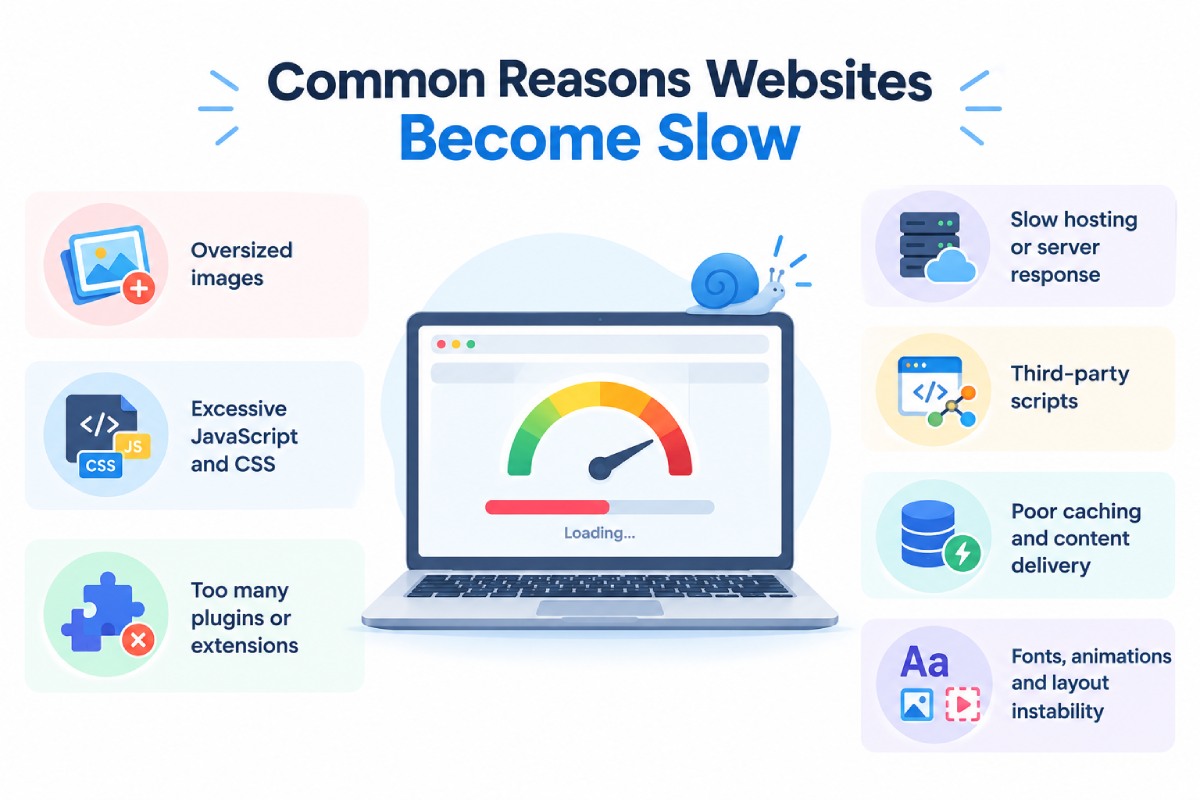
Common Reasons Websites Become Slow
A useful website speed audit identifies the specific resources and processes responsible for poor performance, helping businesses improve website performance through targeted fixes. The following problems are common starting points, but not every website will have all of them. Testing should determine which issues actually affect the pages being optimised.
Oversized images
Large images can consume substantial bandwidth, particularly on mobile connections. A full-width banner uploaded at a much larger resolution than the page requires may add unnecessary download time without visibly improving the design. Use suitable dimensions, compress images carefully, and choose efficient formats such as WebP or AVIF where supported by the website’s image pipeline.
Provide responsive image sizes when different devices require different resolutions. Avoid applying the same compression setting to every image: product photography, diagrams, and decorative graphics may have different quality requirements. Prioritise the main image and other resources that affect initial rendering. Images below the fold can often be lazy-loaded, but the main visible image should not be delayed unnecessarily.
Excessive JavaScript and CSS
Themes, page builders, animation libraries, plugins, and custom scripts can add code that a page does not actually need. The browser must download, parse, and process relevant resources, and JavaScript can block the main thread when it performs expensive work.
Review the scripts and stylesheets loaded by important page templates. Remove unused code where safe, split large bundles, defer non-critical scripts, and load functionality only where it is needed. Minification can reduce file size, but it will not fix inefficient application logic or a large amount of unnecessary functionality.
Avoid blindly combining every script into one file. Modern delivery strategies depend on the application’s architecture, caching behaviour and the way resources are used. The goal is to reduce unnecessary work and prioritise what is needed for the current page.
Too many plugins or extensions
On a WordPress website, plugins can add useful features but may also introduce extra stylesheets, JavaScript, database queries, or external requests. Similar issues can arise from apps and extensions on ecommerce platforms or third-party modules in custom-built websites. Create an inventory of active plugins and identify which ones are essential.
Test the performance impact of non-essential tools before removing or replacing them, and confirm that the site continues to work correctly after changes. The number of plugins alone is not a reliable performance measure. One inefficient plugin can create more problems than several lightweight plugins. Evaluate what each tool loads, how it behaves, and whether the business still needs its functionality.
Slow hosting or server response
If the server takes too long to return the initial document, the browser cannot begin processing the page as early as it otherwise could. Server delays may be caused by limited resources, inefficient database queries, application logic, traffic spikes, poor caching, or infrastructure that is not suited to the workload.
Measure server response behaviour and investigate whether the delay affects all pages or only particular templates. Static pages may benefit from full-page caching, while dynamic ecommerce or account pages may require application and database optimisation.
Upgrading hosting can help when infrastructure is genuinely the bottleneck, but it is not a universal fix. A larger server will not necessarily resolve an inefficient query, oversized image, or script that blocks user interactions.
Third-party scripts
Analytics, advertising pixels, live-chat tools, review widgets, heatmaps, and embedded media can add network requests and processing work. Each tool may seem small in isolation, but the combined effect can be significant. List the third-party services running on important pages. Confirm which are required, whether they need to load immediately, and whether their scripts can be delayed until the visitor needs the functionality or the page has reached a suitable state.
Do not remove business-critical measurement tools without checking their purpose and dependencies. Instead, reduce duplicate tracking, remove unused integrations and make sure essential conversion events continue to work after optimisation.
Poor caching and content delivery
Caching can reduce the need to regenerate the same content or repeatedly download unchanged resources. Browser caching, server-side caching and a content delivery network (CDN) can all help, depending on the website’s architecture and audience. A CDN may be particularly useful for sites serving users across multiple regions, but its benefit depends on the content being delivered, cache configuration and origin performance.
Dynamic content and personalised pages require careful rules so that one user’s information is never served to another user. Set appropriate cache lifetimes for static assets, use versioning or cache-busting when files change, and verify that the website displays updated content correctly after deployment.
Fonts, animations and layout instability
Custom fonts can delay text rendering or cause the page layout to change when the final font loads. Large animation libraries and decorative effects can also add processing work or make the interface less responsive. Use only the font weights and character sets that the design requires, and consider whether locally hosted or carefully configured font delivery would be beneficial.
Reserve layout space for dynamic elements and avoid unnecessary animations that trigger expensive layout calculations. Performance decisions should respect the design’s purpose. The goal is not to remove every visual detail; it is to retain useful design and functionality without forcing visitors to wait for unnecessary resources.
How to Measure Website Performance Correctly
Before changing code, establish what is slow, which users experience the problem, and which pages matter most to the business. A single performance score does not provide enough information to choose the right fix. For effective core web vitals optimization, combine laboratory testing, real-user data, and business analytics to understand performance issues and their impact.
Google PageSpeed Insights
PageSpeed Insights provides performance diagnostics for a URL and, when sufficient field data is available, reports real-user experience from the Chrome User Experience Report. Its laboratory analysis can help developers investigate loading behaviour under a controlled test environment. Use it to identify issues such as inefficient resource loading, large images, render-blocking resources, and opportunities to reduce unnecessary work.
Test individual templates rather than assuming that the homepage represents the entire site. A homepage, service page, product page, and checkout page can have very different performance characteristics. Remember that laboratory results and field results answer different questions. A lab test helps reproduce and investigate a performance issue; field data shows how users actually experience the page across different devices and network conditions.
Google Search Console Core Web Vitals report
Google Search Console’s Core Web Vitals report helps site owners understand how pages perform based on real-world data. It groups URLs with similar issues, making it useful for identifying patterns across page templates.
For example, several product pages may share the same slow-loading image component or layout instability caused by a common template. Fixing the underlying component may address multiple affected URLs more efficiently than editing each page separately.
Use the report to identify groups of URLs that need attention, then investigate representative pages using browser diagnostics and performance testing tools. Not every URL will have enough field data to receive a separate assessment, so the absence of a reported issue should not automatically be treated as proof that the page is fast.
Chrome DevTools and Lighthouse
Chrome DevTools helps developers inspect network requests, JavaScript execution, layout shifts, and other performance behaviour. Lighthouse provides a repeatable laboratory audit that can be useful during development and before deployment.
These tools are particularly helpful when a page has an identifiable technical problem, but the cause is not obvious. A network waterfall can show which resources are taking time to load, while performance recordings can reveal long-running tasks or interactions that block the main thread.
Lighthouse does not replace real-user measurement. In particular, laboratory testing cannot fully reproduce the range of real interactions and device conditions captured by field metrics. Use it to diagnose and validate changes, then monitor actual performance after release.
Google Analytics and conversion tracking
Performance tools explain what is happening technically, while analytics helps assess what visitors do on the website. Review the relationship between landing-page traffic, engagement, form starts, successful submissions, purchases, and other meaningful events.
Segment the analysis by device category, landing page, traffic source, and campaign where the data supports it. If mobile users have a lower form-completion rate than desktop users, investigate both performance and usability before concluding that speed is the cause.
Conversion tracking must also be accurate. A broken event, duplicate conversion, or incorrectly configured form submission can make a good page look ineffective-or make a poor page look successful. Verify the tracking setup before using conversion data to justify a major development decision.
Step-by-Step Website Speed Optimization Process
A repeatable process helps businesses avoid spending money on low-impact fixes while more important problems remain unresolved.
Step 1: Identify the pages that matter most
Start with pages that have a direct relationship with revenue or lead generation. These may include service landing pages, product categories, high-traffic blog posts, quotation forms, pricing pages, and checkout steps. Use analytics and Search Console to understand which pages attract meaningful traffic, generate conversions, or support important search queries.
A low-traffic page with no commercial role may not deserve the same immediate priority as a high-traffic landing page generating qualified leads. Create a shortlist of priority URLs and group them by template. This helps distinguish a site-wide issue from a problem affecting only one page.
Step 2: Establish a baseline
Record the current LCP, INP, and CLS data where available. Also record laboratory findings, mobile and desktop behaviour, server response indicators, and relevant conversion metrics. The baseline should reflect the actual pages being improved. If a product detail template is slow, record the performance of representative product pages rather than relying solely on the homepage score.
Document the test conditions and the changes already in place. This makes it easier to compare results after implementation and prevents the team from attributing an improvement to a change that was not responsible for it.
Step 3: Diagnose the underlying cause
A poor score is a symptom, not a diagnosis. Determine whether the primary issue is image delivery, server response, render-blocking resources, JavaScript execution, layout instability, or a combination of factors. For instance, a poor LCP result may be caused by a hero image that is discovered late, rather than by the image’s file size alone.
Compressing that image may help, but making it discoverable earlier could address a more important part of the delay. Use the appropriate tool for the question. Inspect network requests for resource delays, use performance recordings for interaction problems, and examine layout shifts to identify unstable elements.
Step 4: Prioritise fixes by impact and effort
Not every optimisation has the same value. A useful prioritisation model considers the severity of the problem, how many important pages are affected, the likely user or business impact, implementation effort, and technical risk.
| Priority | Example issue | Possible action |
| High | Main image loads late on key landing pages | Optimise image delivery and loading priority |
| High | Enquiry form becomes unresponsive | Diagnose JavaScript and third-party script execution |
| High | Slow server response across many pages | Investigate hosting, caching, application and database performance |
| Medium | Several below-the-fold images load unnecessarily early | Implement suitable lazy loading |
| Medium | Layout shifts when banners or images appear | Reserve space and stabilise the page layout |
| Context-dependent | An unused plugin adds substantial resources | Remove or replace it after dependency testing |
These are examples, not a universal ranking. A server issue affecting the entire website may deserve attention before an image issue affecting one page, while a broken checkout interaction may be more urgent than a modest improvement to a blog post.
Step 5: Implement changes safely
Make changes in a staging environment where possible, especially when modifying caching, scripts, theme files, or application logic. Confirm that important functionality still works, including navigation, forms, search, ecommerce transactions, analytics, and consent controls. Avoid making many unrelated changes simultaneously.
If the site improves or breaks, changing one group of related variables at a time makes the result easier to diagnose. Keep a record of each change, the issue it was intended to fix, and the result of the test. This creates a practical performance log that developers and marketing teams can use in future releases.
Step 6: Retest and validate
Repeat the same laboratory tests after the changes, then monitor field data as it becomes available. Check representative pages across mobile and desktop rather than validating only one URL. Also verify the intended business functionality.
A page may become lighter because a script was removed, but if that script was responsible for recording enquiries, the apparent improvement could come at the cost of lost measurement. A successful optimisation should improve the targeted technical issue without introducing a new usability, accessibility, tracking or reliability problem.
Step 7: Monitor performance continuously
Website performance can deteriorate as new pages, plugins, scripts, campaigns and design features are introduced. Optimisation should therefore be part of the development process, not a one-time task completed before launch. Set up regular checks for critical page templates and test performance before major releases.
Monitor changes in field data, investigate unexpected regressions, and include performance requirements in development acceptance criteria. This approach is especially valuable for ecommerce websites and lead-generation businesses that regularly add promotional content, analytics tools, landing pages, or new functionality.
Website Speed Optimization for Different Types of Websites
The right performance strategy depends on how the website is built and what visitors need to do. A WordPress brochure site has different constraints from a large ecommerce store or a custom web application.
WordPress websites
WordPress performance work often involves theme design, plugins, image delivery, caching, hosting and page-builder output. Begin by identifying which resources the active theme and plugins load on priority pages. Use an appropriate caching setup, optimise images and remove unnecessary functionality.
Check that forms, search, analytics, consent controls and dynamic elements continue to work after each change. Caching rules must be configured carefully for logged-in users, personalised content and other pages that should not be shared between visitors. Avoid installing multiple optimisation plugins that perform overlapping functions without understanding how they interact. More tools do not automatically mean better performance.
Ecommerce websites
Ecommerce websites need to balance performance with product imagery, filtering, reviews, recommendations, stock information, cart functionality, and payment integrations. Removing all dynamic features is rarely realistic because some are essential to product discovery and purchasing. Focus on product listing pages, product details, search results, the cart, and checkout.
Review image sizes, third-party apps, client-side filtering, inventory requests, and the number of scripts loaded on each template. Test the complete purchase journey after optimisation. A faster product page is useful, but not if a variation selector stops working or checkout analytics no longer records successful purchases.
Custom websites and web applications
Custom-built websites may have more control over architecture, component loading, server-side rendering, caching and API requests. That flexibility also means performance issues can originate in application code, database queries, network dependencies, or inefficient client-side rendering. Use profiling and network analysis to find bottlenecks before rewriting components.
Consider whether every component needs to load on the initial page, whether data requests can be simplified, and whether server-side work is delaying the first response. Performance should be considered during architecture and development, not added only after launch. Clear budgets for JavaScript, images, response times, and key interactions can help prevent regressions as the application grows.
Websites serving multiple regions
Businesses serving users across India or international markets may need to consider geographic latency, regional hosting, CDN configuration, and the delivery of static assets. A page that performs well near the origin server may behave differently for a visitor far away. Review where the main audience is located and whether static resources can be delivered efficiently from suitable locations.
Test with representative geographic and network conditions, while keeping security, cache correctness, and data privacy requirements in mind. A CDN can reduce delivery delays for suitable resources, but it cannot by itself fix every application, database, or JavaScript bottleneck.
How Website Development, SEO and CRO Work Together
Website speed optimisation is most effective when developers, SEO specialists and conversion specialists work from the same evidence. Each discipline can identify a different part of the problem, but the fix should support the entire customer journey. Development investigates the technical causes and implements changes. This may involve image delivery, caching, JavaScript execution, server response, database performance, or page-template architecture.
SEO identifies the pages that matter for organic discovery and evaluates how technical performance interacts with crawlability, content, mobile usability, and search intent. This prevents the team from spending all its time improving low-value URLs while commercially important pages remain slow. CRO examines the visitor’s path from arrival to action. It identifies whether delays, unstable layouts, difficult forms, or unresponsive controls are creating friction during lead generation or purchase.
Consider a service landing page that attracts organic search traffic but generates few enquiries. The SEO specialist may identify it as a priority because it receives relevant impressions and visits. The developer may find that a large hero image delays the main content and several scripts block the form. The CRO specialist may discover that the form asks for too much information and the call to action is unclear. In this example, performance improvements can help, but the best outcome may require a combination of faster loading, a simpler form, and clearer messaging. That is why speed, SEO, and conversion work should be coordinated instead of treated as separate checklists.
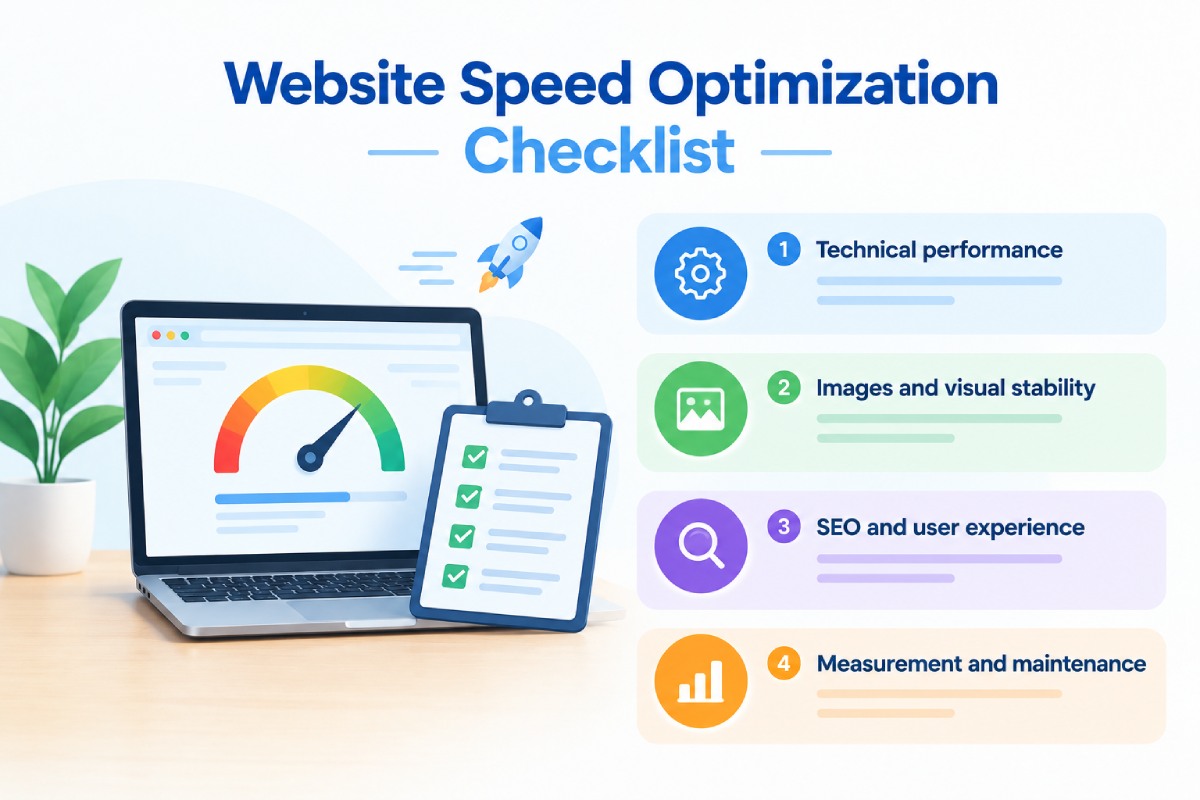
Website Speed Optimization Checklist
Use this checklist for website audits and core web vitals optimization projects to identify performance issues and prioritise improvements.
Technical performance
- Test important URLs using PageSpeed Insights.
- Review LCP, INP, and CLS data where available.
- Compare mobile and desktop performance.
- Investigate slow server responses and unnecessary redirects.
- Identify render-blocking CSS and JavaScript.
- Review large JavaScript bundles and unused resources.
- Check caching and CDN configuration.
- Inspect third-party scripts, tags, and embedded content.
Images and visual stability
- Resize images to suit their display dimensions.
- Compress images without unacceptable quality loss.
- Use suitable modern image formats where supported.
- Make the main above-the-fold image discoverable early.
- Lazy-load suitable below-the-fold images.
- Reserve space for images, videos, advertisements and embeds.
- Check for layout shifts caused by fonts, banners and dynamic components.
SEO and user experience
- Prioritise pages with organic traffic and commercial value.
- Check that important content appears promptly on mobile.
- Confirm that navigation and calls to action respond correctly.
- Review page content, search intent and internal links.
- Verify that forms and other important interactions remain usable.
- Confirm that performance changes have not broken tracking.
Measurement and maintenance
- Record baseline performance before making changes.
- Document each fix and its intended impact.
- Retest the affected page templates after deployment.
- Monitor real-user data as it becomes available.
- Compare conversion outcomes over a suitable period.
- Include performance testing in future development releases.
The checklist is a starting point rather than a substitute for diagnosis. The highest-value work usually comes from identifying the specific issues affecting important pages and fixing those issues in the right order.
How Much Does Website Speed Optimization Cost?
The cost of website speed optimization depends on the cause of the performance problem, the technology used to build the website, the number of affected templates, and the amount of development work required. A site that needs image compression and cache configuration is very different from a custom application with slow database queries and expensive JavaScript execution.
A useful scope separates the work into three stages.
Performance audit:
Identify the main bottlenecks, collect baseline measurements, review important URLs and prepare a prioritised list of recommendations.
Implementation:
Make the required changes to images, scripts, caching, server configuration, page templates or application code. The level of effort depends on the technical causes discovered during the audit.
Validation and monitoring:
Retest the website, confirm that key features still work, monitor field data, and assess whether the intended user-experience or conversion improvements occurred.
Businesses should request a clear explanation of the identified issues, the proposed fixes, the pages affected, and the method that will be used to validate the results. Avoid choosing a provider solely because it promises a perfect performance score. A technically realistic plan should prioritise user experience, functionality, and business impact, not just the appearance of a test report.
Frequently Asked Questions About Website Speed Optimization
What is website speed optimization?
Website speed optimization is the process of improving how quickly a website loads, responds to interactions, and displays stable content. It may involve optimising images, reducing unnecessary code, improving server response, configuring caching, and fixing layout shifts. The objective is to create a better experience while supporting important business actions such as enquiries, registrations, and purchases.
Does website speed affect Google rankings?
Core Web Vitals are used by Google’s ranking systems as part of its broader page-experience considerations. However, good Core Web Vitals scores do not guarantee higher rankings, and speed does not replace relevant content or satisfying search intent. Website performance should be improved alongside the other technical and content factors that influence organic search performance.
What are Core Web Vitals?
Core Web Vitals are three metrics that measure important aspects of real-world user experience. Largest Contentful Paint measures loading performance, Interaction to Next Paint measures responsiveness, and Cumulative Layout Shift measures visual stability. Google’s recommended targets are LCP of 2.5 seconds or less, INP of 200 milliseconds or less, and CLS of 0.1 or less.
How can I improve website performance?
Start by testing important pages and identifying the actual bottlenecks. Optimise large images, reduce unnecessary JavaScript, address server delays, improve caching where appropriate, and fix layout instability. Retest the affected pages after implementation and monitor real-user data to confirm that the changes have improved the experience.
What is a good website loading speed?
For Core Web Vitals, a good LCP result is 2.5 seconds or less at the 75th percentile of visits. However, LCP is only one part of performance: a website should also respond promptly to interactions and maintain visual stability. The most useful targets depend on the page’s purpose, the user’s device, and the real-world experience being measured.
Which tools can I use to test website speed?
PageSpeed Insights is useful for reviewing page-level performance and available field data. Google Search Console helps identify groups of URLs with Core Web Vitals issues, while Chrome DevTools and Lighthouse support technical diagnosis and laboratory testing. Google Analytics or another reliable analytics platform can help assess whether changes affect form completions, purchases, or other business outcomes.
Can a website have a high performance score but still convert poorly?
Yes. A high performance score does not guarantee that a website has the right offer, persuasive content, clear calls to action, useful trust signals, or an effective form. If technical performance is already good, investigate traffic quality, messaging, pricing, usability and the conversion journey before investing in further speed improvements.
Should I optimise mobile or desktop performance first?
Prioritise the devices and pages that matter most to your audience, but do not ignore either environment. A mobile-first review is particularly useful when mobile visitors account for a significant share of search traffic or enquiries. Compare field data by device and investigate whether the causes of poor performance differ between mobile and desktop.
How often should I audit website performance?
Audit performance when launching a website, after significant development changes, and whenever monitoring reveals a regression. Websites with frequent content, advertising, or ecommerce changes should include performance checks in their regular maintenance process. Continuous monitoring helps catch problems introduced by new plugins, scripts, templates, and third-party integrations.
Does a CDN automatically make a website faster?
No. A CDN can improve the delivery of suitable resources by serving them from locations closer to users, but its impact depends on configuration and the website’s architecture. It will not automatically fix inefficient database queries, excessive JavaScript, or poor page structure. Measure the existing bottleneck before deciding whether a CDN is the right solution.
Can speed optimization improve lead generation?
It can help remove technical friction that interferes with landing-page visits, navigation, and form submissions. However, the effect on lead generation depends on the existing performance problems and other factors, including offer relevance, traffic quality, and form design. Measure both the technical improvement and the actual conversion outcome instead of assuming that a better speed score will automatically produce more leads.
Conclusion: Treat Website Performance as an Ongoing Business Priority
Website speed optimization is not simply a technical exercise aimed at improving a score. It connects the way a website is developed, how effectively its pages support organic search, and how easily visitors can become customers. A practical starting point is to identify the pages with the greatest commercial value, establish a performance baseline, and diagnose the issues affecting those pages.
Improve the relevant Core Web Vitals, remove unnecessary resources, address server or application bottlenecks, and ensure that key interactions remain reliable. Then measure the results using both real-user performance data and meaningful business metrics. The best optimisation plan is not necessarily the one that achieves a perfect score. It is the one that uses evidence to prioritise the right fixes, preserves the functionality customers need, and improves the website’s ability to support its business goals.
Need help improving your website’s performance? A coordinated approach to website development, technical SEO, and conversion optimisation can help identify what is slowing your pages down and determine which fixes deserve attention first. Start with a performance audit that connects technical findings to the pages, customer journeys, and business outcomes that matter most.