
Introduction: Which Cloud Platform Should You Choose for Software Development?
Cloud computing has changed how businesses build, deploy, and operate software. Instead of purchasing and maintaining all their own servers, organisations can use cloud infrastructure and managed services to run applications, store data, automate deployments and scale resources according to demand.
But choosing a cloud platform is not simply a decision about where to host an application. It affects how the software is architected, how developers build and deploy it, how data is managed, how security is enforced, and how much the business spends as usage grows.
Three major platforms dominate many enterprise cloud discussions: Amazon Web Services (AWS), Microsoft Azure, and Google Cloud Platform (GCP). Each provides computing, storage, databases, networking, security, analytics, and application development services, but they differ in their ecosystems, product choices, operational models, and areas of particular strength.
AWS vs Azure vs GCP is not a contest with one universal winner. The right platform is the one that best fits your application’s architecture, existing technology stack, security requirements, team capabilities, and long-term cost model.
For example, a company that relies heavily on Microsoft technologies may value Azure’s integration with its existing identity, data, and development environment. A business building a highly customised cloud-native platform may evaluate AWS for its broad service portfolio. A data-intensive product may find Google Cloud’s analytics and data engineering ecosystem particularly relevant. These are starting points for evaluation, not rules that determine the choice in every case. Each provider supports a broad range of workloads.
This guide compares AWS, Azure, and GCP for cloud software development, explains their major services and trade-offs, and provides a practical framework for selecting a platform for a new application, an existing system, or an enterprise cloud migration.
What Is Cloud-Based Software Development?
Cloud-based software development is the process of designing, building, testing, deploying, and operating software using cloud infrastructure and services. The cloud can provide the computing resources that run the application, managed databases, storage, networking, identity controls, monitoring, and deployment automation.
Rather than managing every underlying server, a development team can choose how much infrastructure it wants to control. A team might deploy an application on virtual machines, run containers on an orchestration platform, use a managed application hosting service, or build an event-driven application using serverless functions.
The appropriate model depends on the application. When evaluating cloud application development services, businesses should consider scalability, application complexity, and ongoing maintenance needs. A legacy system may need virtual machines because its architecture expects a conventional server environment. A new web application may benefit from a managed application platform. A system with many independently deployable components may use containers and orchestration, while a lightweight event-processing workflow may be suited to serverless computing.
Cloud software development vs traditional software development
| Area | Traditional self-managed infrastructure | Cloud-based development |
| Infrastructure | Organisation procures and manages physical or virtual infrastructure | Resources can be provisioned through cloud services |
| Capacity planning | Often requires advance capacity planning | Many services support elastic scaling |
| Deployment | May rely on manual infrastructure and release processes | Can use automated infrastructure provisioning and CI/CD |
| Maintenance | Organisation manages more of the underlying stack | Managed services can reduce some operational responsibilities |
| Cost model | Capital expenditure and ongoing operating costs | Often consumption-based, with options for commitments and reserved capacity |
| Availability | Depends on the designed and operated infrastructure | Cloud services provide building blocks for resilience, but the application still needs appropriate architecture |
| Control | Greater direct control over the infrastructure | Control varies by service model |
Cloud adoption does not automatically make an application scalable, secure or cost-efficient. A poorly designed cloud application can still suffer outages, slow queries, security gaps and unexpected bills. Microsoft’s architecture guidance, for example, emphasises reliability, security, cost optimisation, operational excellence and performance efficiency as core considerations when designing cloud workloads. The important decision is not whether to use the cloud for its own sake. It is how to use cloud services to meet the application’s business and technical requirements.
AWS vs Azure vs GCP: Quick Comparison
The three platforms overlap significantly in their core capabilities. All can support web applications, APIs, databases, containers, serverless workloads, analytics, and enterprise systems.
| Evaluation area | AWS | Microsoft Azure | Google Cloud (GCP) |
| Provider | Amazon | Microsoft | |
| Core compute | Amazon EC2 | Azure Virtual Machines | Compute Engine |
| Managed application hosting | AWS App Runner, Elastic Beanstalk and other services, depending on workload | Azure App Service and related services | Cloud Run and other application hosting services |
| Kubernetes | Amazon EKS | Azure Kubernetes Service (AKS) | Google Kubernetes Engine (GKE) |
| Object storage | Amazon S3 | Azure Blob Storage | Cloud Storage |
| Managed relational databases | Amazon RDS and Aurora | Azure SQL Database and Azure Database services | Cloud SQL and AlloyDB |
| Serverless functions | AWS Lambda | Azure Functions | Cloud Run functions and related serverless services |
| Data analytics | Amazon Redshift and broader AWS analytics services | Microsoft Fabric, Azure analytics services and related offerings | BigQuery and broader Google Cloud analytics services |
| Identity ecosystem | AWS IAM and related identity services | Microsoft Entra ID and Azure identity services | Cloud IAM and related identity services |
| Enterprise ecosystem fit | Broad infrastructure and cloud service portfolio | Often attractive for Microsoft-centric environments | Often attractive for data analytics and cloud-native workloads |
| Cost evaluation | Depends on service, region, usage, and architecture | Depends on service, region, usage, and pricing options | Depends on service, region, usage, and architecture |
The table provides representative service equivalents, not a complete feature-for-feature mapping. Products with similar labels may differ in architecture, performance, availability options, pricing, and operational responsibilities. Verify the specific services and regions required for your workload before making a decision.
Amazon Web Services (AWS): Features, Advantages and Limitations
AWS is Amazon’s cloud computing platform. It offers services for computing, storage, databases, networking, identity, application integration, analytics, machine learning and infrastructure management. AWS is a candidate for a wide range of applications, from small web products to complex enterprise systems. The platform’s breadth gives teams flexibility, but that flexibility also means architects must choose the right services and understand how they work together.
Key AWS services for cloud application development
Amazon EC2: Virtual servers that give teams control over the operating environment, installed software, and configuration. EC2 is useful when applications need server-level control or cannot easily move to a higher-level managed hosting service.
Amazon S3: Object storage used for files, backups, static assets, data lakes, and other unstructured data. Access policies, lifecycle rules, and storage classes should be designed around the application’s data and retention requirements.
Amazon RDS and Amazon Aurora: Managed relational database options for applications that require structured data and transactional queries. The right database depends on compatibility, query patterns, performance, availability requirements, and cost.
AWS Lambda: A serverless compute service for running functions in response to events or requests. It can reduce the need to manage servers for suitable workloads, although execution limits, invocation patterns, and integration requirements must be considered.
Amazon EKS: A managed Kubernetes service for teams that need Kubernetes-based container orchestration. Kubernetes can support complex distributed systems, but it introduces operational and engineering responsibilities that may be unnecessary for a simpler application.
Amazon CloudWatch: Monitoring and observability capabilities for collecting metrics, logs, and other operational information. Effective monitoring helps teams detect failures, investigate performance issues, and understand resource usage.
AWS provides a broad set of services, so the exact architecture should be designed around the application’s requirements rather than built by selecting as many cloud products as possible. Effective AWS cloud development starts with selecting services that match the application’s performance, security, and scalability requirements.
Advantages of AWS
Broad service selection. AWS offers a wide range of infrastructure and managed services, which can help teams implement architectures suited to different application requirements. Flexible architecture. Developers can combine virtual machines, containers, managed databases, queues, event-driven functions, and other services according to the workload.
Support for varied application types. AWS can be used for web applications, APIs, data processing, enterprise systems, and other workloads. It supports both conventional infrastructure and cloud-native approaches. Established cloud ecosystem. Organisations can draw on cloud engineering skills, tooling, consulting partners, and third-party integrations when designing and operating AWS workloads.
Limitations and trade-offs of AWS
Service selection can become complex. The breadth of AWS is useful, but it can make architectural decisions difficult when a team does not have a clear understanding of its requirements.
Cost visibility requires discipline. Multiple services, data transfers, storage growth, logs, and managed resources can make the bill difficult to interpret without appropriate tagging, budgets, and cost monitoring.
Operational responsibility remains important. Managed services reduce some infrastructure work, but the organisation still needs to configure access controls, design resilience, monitor applications, and maintain its own software.
Overengineering can increase cost. A small business application does not necessarily need Kubernetes, multiple microservices, and a complex event-driven architecture. Choosing simpler services can reduce both initial engineering effort and ongoing operational burden.
When should you choose AWS?
AWS is worth evaluating when the application requires flexible infrastructure choices, a broad set of managed services, or an architecture that combines several cloud capabilities. It can also be appropriate when the organisation already has AWS expertise and existing workloads that can share operational practices and tooling. However, AWS should not be selected solely because it is popular. Compare it against the actual workload, team skills, required integrations, regional availability, and total cost of ownership.
Microsoft Azure: Features, Advantages and Limitations
Microsoft Azure is Microsoft’s cloud platform for building, deploying, and managing applications and infrastructure. It provides computing, databases, storage, networking, identity, analytics, application hosting and developer tooling.
Azure is often worth evaluating when an organisation already uses Microsoft technologies or needs to integrate cloud applications with its existing Microsoft environment. Its suitability still depends on the workload, the team’s skills and the services the application requires.
Microsoft’s Azure Architecture Center provides reference architectures, technology-selection guidance and design patterns for building cloud applications. Its guidance emphasises reliability, security, cost optimisation, operational excellence and performance efficiency.
Key Azure services for cloud application development
Azure App Service: A managed platform for hosting web applications and APIs. It can reduce the amount of infrastructure management required compared with operating application servers directly.
Azure Virtual Machines: Virtual servers for workloads that need operating-system control or compatibility with existing applications. They are useful for certain migrations and applications that cannot easily be adapted to a managed application platform.
Azure SQL Database: A managed relational database service for applications using SQL-based data models. Database selection should consider compatibility, transaction requirements, performance, availability, and the cost of the required service tier.
Azure Blob Storage: Object storage for documents, media, backups, and other unstructured data. Access control, retention, lifecycle management and data protection requirements should be defined before deployment.
Azure Functions: A serverless compute option for event-driven operations, scheduled tasks, and application integrations. It can be useful when workloads are naturally triggered by events rather than continuously running processes.
Azure Kubernetes Service (AKS): A managed Kubernetes service for containerised applications that require orchestration. Teams should assess whether Kubernetes provides sufficient value to justify its additional architecture and operational complexity.
Microsoft Entra ID and Azure Key Vault: Identity and secret-management services that can support access control and the protection of credentials, keys and certificates. Their configuration should be aligned with the organisation’s identity architecture and security policies.
The appropriate combination depends on the application. Azure application development benefits from selecting managed services that align with the application’s hosting, database and integration needs. A conventional business portal may work well on a managed application service, while a complex distributed platform may require containers, messaging and additional infrastructure controls.
Advantages of Azure
Microsoft ecosystem integration. Azure can be a natural candidate for businesses that already depend on Microsoft identity, development and data technologies. Integration should still be evaluated for the specific services and licensing arrangements involved. Managed application hosting. Services such as Azure App Service can reduce the need to manage the underlying server environment for suitable applications.
Enterprise architecture options. Azure provides services and reference architectures for networking, identity, monitoring, databases, and application deployment, helping organisations design systems around defined security and reliability requirements.
Hybrid-cloud considerations. Businesses with on-premises systems may find Azure worth evaluating when planning to integrate existing infrastructure with cloud-hosted applications. The right approach depends on connectivity, identity, application dependencies and operational requirements.
Limitations and trade-offs of Azure
The existing Microsoft environment still needs assessment. Azure integration can be useful, but an organisation should not assume that every Microsoft-based application is automatically cheaper or simpler to run on Azure.
Service and licensing costs need careful review. Infrastructure charges, software licensing, managed services, and support arrangements should be included in the total cost estimate.
Architecture choices remain important. Selecting managed services does not eliminate the need to design secure access, data protection, monitoring, backups, and recovery.
Kubernetes and microservices can add unnecessary complexity. A smaller application may be easier and less expensive to operate using a simpler hosting model. Adopt advanced architecture only when its benefits justify the additional engineering effort.
When should you choose Azure?
Azure is a strong candidate to evaluate when the business already uses Microsoft technologies, needs integration with existing enterprise identity and applications, or wants to build modern applications using Azure’s managed hosting and data services.
It may also be appropriate for organisations modernising older applications or connecting cloud services to an existing environment. Before committing, assess licensing, the team’s capabilities, the required regional services, and the cost of the proposed architecture.
Google Cloud Platform (GCP): Features, Advantages and Limitations
Google Cloud Platform, commonly called Google Cloud or GCP, provides infrastructure and managed services for application development, data analytics, AI, networking, security, and cloud operations.
Google Cloud is particularly relevant to businesses evaluating data-intensive applications, managed container platforms, and cloud-native development patterns. These capabilities do not mean it is the automatic choice for every data or AI project; the final decision depends on the workload and the complete architecture.
Google Cloud’s application-development documentation covers application hosting, APIs, CI/CD, developer tooling and cloud-native application design. Its Well-Architected Framework also addresses security, reliability, cost optimisation, performance and operational excellence.
Key Google Cloud services for application development
Compute Engine: Virtual machines for workloads that require control over the operating environment or need to retain a traditional server architecture.
Cloud Run: A managed platform for running containerised applications. It can be useful for web services, APIs, and suitable event-driven workloads where teams want to avoid managing the underlying server infrastructure directly.
Google Kubernetes Engine (GKE): A managed Kubernetes platform for orchestrating containerised workloads. It supports Kubernetes-based architectures but still requires decisions about networking, access, deployment, observability and workload configuration.
Cloud Storage: Object storage for application files, backups, media and data-processing workflows. Retention, access policies, and lifecycle settings should be designed according to the application’s requirements.
Cloud SQL and AlloyDB: Managed relational database options. Selection depends on database compatibility, workload characteristics, availability needs, and performance requirements.
BigQuery: A data analytics platform for querying and analysing large datasets. It may be relevant when an application needs substantial analytical processing, reporting, or integration with data pipelines.
Cloud Functions and event-driven services: Options for responding to events and integrating components without maintaining a conventional long-running server for every task. Choose the specific service based on the current product capabilities and workload requirements.
Google Cloud build and deployment tools: Services such as Cloud Build, Artifact Registry, and Cloud Deploy can support build pipelines, artifact management, and automated delivery. The implementation should match the team’s release process and security controls.
Advantages of Google Cloud
Data analytics capabilities. Google Cloud provides services such as BigQuery for analytical workloads. This can be valuable when reporting and large-scale data analysis are central to the application.
Managed container options. Cloud Run and GKE provide different ways to deploy containerised applications, allowing teams to choose between a more managed application platform and Kubernetes-based orchestration.
Cloud-native development tools. Google Cloud offers services for APIs, CI/CD, application hosting and infrastructure management, supporting teams that want to automate software delivery.
Architecture guidance. Google’s Well-Architected Framework provides guidance on reliability, security, cost optimisation, performance and operations. This can help teams evaluate a proposed design against broader business and technical requirements.
Limitations and trade-offs of Google Cloud
Existing skills and integrations matter. A company with established expertise in AWS or Azure may incur additional training and migration effort when adopting GCP.
Service selection still requires architectural judgement. Managed services can simplify operations, but the team must still understand data models, access policies, network boundaries, and service dependencies.
Costs depend on usage patterns. Data processing, storage, networking, compute, and managed services can produce different cost profiles. A workload that is economical in one configuration may become expensive when its usage or architecture changes.
Portability is not automatic. Applications that rely heavily on provider-specific databases, identity services, or event-processing tools may require significant changes to move to another cloud. Using containers alone does not eliminate those dependencies.
When should you choose Google Cloud?
Google Cloud is worth evaluating when the application has substantial analytics requirements, needs a managed container platform, or benefits from the provider’s application-development and data services. Google Cloud development can help businesses build scalable applications using managed services that align with their technical and operational needs.
It may also be suitable for a new cloud-native product when the team has relevant expertise and the required services meet its security, regional, integration, and cost requirements. As with AWS and Azure, validate the design against the real workload rather than selecting the provider based on a general reputation.
AWS vs Azure vs GCP: Which Is Better for Different Workloads?
The best cloud platform can differ by application type. A data analytics platform, a Microsoft-integrated business application, and a containerised SaaS product may have different requirements even when all three are described as cloud software development projects.
The following comparisons are starting points for evaluation, not absolute rankings.
| Workload | Platforms worth evaluating | What to assess first |
| Standard business web application | AWS, Azure or GCP | Hosting model, database, team skills and total cost |
| Microsoft-centric enterprise application | Azure, AWS or GCP depending on dependencies | Identity integration, licensing and existing architecture |
| Data analytics platform | Google Cloud, AWS or Azure | Data volume, query patterns, pipeline design and analytics tools |
| Containerised application | All three | Operational complexity, deployment workflow and Kubernetes requirements |
| Event-driven application | All three | Event volume, latency, execution model and service dependencies |
| Legacy application migration | The provider best suited to the current architecture | Compatibility, migration effort and modernisation roadmap |
| SaaS product | All three | Multi-tenancy, isolation, scaling, monitoring and cost per customer |
| Enterprise integration platform | All three | Identity, networking, APIs, messaging and governance |
Best cloud for web application development
For a conventional business website, customer portal, or web application, all three providers offer viable options. The choice often depends on the programming stack, database, deployment model, team experience, and existing infrastructure. For AWS cloud development, teams should also assess how application hosting, databases, and deployment tools will work together.
A simple application may be hosted efficiently on a managed platform without introducing Kubernetes or a complex microservices architecture. A larger system may require additional components for background processing, caching, queues, and resilience.
Compare the complete deployment path: how developers build and release the application, how secrets are managed, how logs are collected, and how the team will troubleshoot failures in production.
Best cloud for enterprise software
Enterprise software may need integration with identity systems, existing databases, internal networks, reporting tools and business applications. In this environment, the provider’s fit with the organisation’s existing technology and governance can be more important than a feature comparison in isolation. Azure application development can be worth considering when enterprise applications require integration with Microsoft identity systems and business tools.
Azure may be worth evaluating for a Microsoft-centric environment. AWS may be attractive where the organisation already operates AWS workloads or needs particular AWS services. Google Cloud may be relevant for analytics-intensive or cloud-native workloads.
The final decision should also account for compliance requirements, disaster recovery, operational ownership, support arrangements and the organisation’s ability to maintain the platform over several years. Well-planned enterprise cloud solutions bring these requirements together through suitable architecture, security controls and operational processes.
Best cloud for SaaS application development
A SaaS product needs more than application hosting. It may require tenant isolation, authentication, subscription billing, background jobs, observability, usage controls and a reliable release process.
All three providers can support SaaS architectures. The more important decision is how the application will manage tenant data, scale individual components, monitor usage, and control costs as customers increase.
For an early-stage SaaS product, a managed application platform and a suitable managed database may reduce operational overhead. Kubernetes and a distributed microservices architecture should be introduced only when the product’s needs justify their complexity.
Best cloud for AI and data-intensive applications
AI and data-intensive workloads need careful evaluation of compute requirements, data movement, storage, analytics, model access and operational controls. Different platforms offer different services and commercial arrangements, and product capabilities change over time.
Google Cloud’s analytics ecosystem, AWS’s breadth of services and Azure’s integration with its wider enterprise and AI ecosystem may all be relevant depending on the use case. The decision should be based on a tested architecture, model or service requirements, data governance, and realistic usage estimates not brand preference alone. Google Cloud development can support data-intensive products when its analytics, compute, and application services fit the workload.
AWS vs Azure vs GCP Pricing: What Does Cloud Software Development Cost?
One of the most common mistakes in cloud planning is comparing the headline price of a virtual machine and assuming that it represents the total cost of running an application. Cloud costs depend on the entire architecture, including compute, storage, databases, networking, data transfer, monitoring, backups, support, and the level of availability required.
All three providers offer consumption-based pricing and various ways to estimate or manage costs. Azure’s official cost-estimation guidance, for example, recommends defining the architecture and selecting the required services before estimating total cost of ownership.
The main components of a cloud application bill
| Cost component | What affects the cost |
| Compute | Instance size, processing demand, runtime and scaling |
| Database | Capacity, storage, queries, replication and availability |
| Storage | Data volume, storage class, retention and request volume |
| Networking | Data transfer, network services and connectivity |
| Monitoring and logs | Ingestion volume, retention and monitoring configuration |
| Backup and recovery | Retention period, recovery requirements and stored copies |
| Managed services | Usage, service tier and pricing model |
| Security services | Selected protections, inspection and monitoring features |
| Support | Support plan and operational requirements |
| Engineering and maintenance | Development, deployment, monitoring and ongoing changes |
The exact cost structure varies by provider and service. Some services charge for provisioned capacity, others by usage, requests, execution time, or data processed. The architecture determines which charges matter most. Reliable cloud application development services should account for infrastructure costs, performance requirements, and future growth during planning.
Why cloud bills can grow unexpectedly
A cloud application may become more expensive when traffic increases, logs accumulate, databases are overprovisioned, or development environments remain running unnecessarily. Data transfer and inter-service communication can also become significant depending on how the application is designed.
Another source of cost is architectural complexity. Operating multiple databases, Kubernetes clusters, queues and duplicated environments may be justified for a demanding application, but unnecessary components increase both infrastructure expenditure and operational work.
Cloud cost management should therefore begin during architecture design. Teams should estimate expected usage, apply appropriate budgets and alerts, tag resources, review utilisation and examine actual costs after launch.
How to compare AWS, Azure and GCP costs fairly
Use the same workload assumptions for each provider. At minimum, document:
- Expected monthly active users or request volume.
- Average and peak processing demand.
- Database type, storage size, and query requirements.
- File storage volume and retention.
- Data transferred into and out of the application.
- Availability, backup, and recovery objectives.
- Logging, monitoring, and security requirements.
- Expected growth over the next 12–36 months.
Then build a cost estimate using each provider’s pricing tools and the specific services required. Include licensing, support, and operational effort where applicable. Do not compare one provider’s minimal development environment against another provider’s production-ready high-availability architecture. The result would not be a meaningful price comparison.
How to reduce cloud application costs
Choose the simplest architecture that meets the requirements. Avoid introducing complex infrastructure before the application needs it.
Right-size compute and databases. Use measured utilisation and workload tests to determine appropriate capacity rather than permanently provisioning resources based on worst-case assumptions without evaluation.
Use scaling carefully. Autoscaling can help respond to variable demand, but poorly configured scaling rules can create unnecessary resource consumption or fail to handle traffic spikes.
Manage storage and logs. Apply appropriate retention rules, remove unnecessary data and review monitoring configuration so that operational visibility does not produce uncontrolled expenditure.
Review commitments when usage becomes predictable. Provider-specific commitments and discounts may reduce costs for steady workloads, but they should be evaluated against expected usage and contractual conditions.
Monitor cost per business outcome. For a SaaS application, examine the cost per active customer or transaction. For an internal system, assess infrastructure cost against its business purpose and operating requirements.
The objective is not to minimise the cloud bill at any cost. It is to achieve the required reliability, security, and performance at a sustainable total cost.
Cloud Security: AWS vs Azure vs GCP
Cloud security is not determined solely by which provider a company selects. It depends on the services used, the application’s architecture, access configuration, data handling, and the controls operated by both the provider and the customer.
AWS explicitly describes security as a shared responsibility between AWS and its customers. Google Cloud also documents a shared-responsibility model, while Azure provides security and architecture guidance for cloud workloads.
What does shared responsibility mean?
The cloud provider is responsible for security aspects of its underlying cloud infrastructure, according to the selected service and service model. The customer remains responsible for areas such as application code, access permissions, data classification, and the secure configuration of the services it uses.
The exact division of responsibility changes between infrastructure, platform and software services. A virtual machine generally requires more customer management than a fully managed application platform, but managed services still need appropriate configuration and access controls.
Businesses should document which team owns each control. This is particularly important when a development company deploys the application but the customer retains responsibility for user accounts, business data, compliance obligations and day-to-day operations.
Identity and access management
Every cloud application needs a clear approach to authentication and authorisation. Developers, administrators, services and automated deployment pipelines should receive only the permissions necessary for their responsibilities.
Avoid relying on shared administrator credentials or storing secrets directly in source code. Use the platform’s appropriate identity and secret-management services, protect deployment credentials, and review access when staff or vendors leave the project. For enterprise applications, access policies should also account for different environments, departments, customers, and levels of sensitivity.
Data protection and compliance
The security requirements depend on the data the application handles and the jurisdictions in which the business operates. Requirements may involve encryption, retention, auditability, access logging, data residency and incident response.
Do not assume that selecting a cloud provider automatically makes an application compliant. The organisation must verify the relevant services, configuration options, contractual terms and operating procedures for its specific obligations.
For sensitive workloads, involve security and compliance stakeholders before finalising the architecture. Cloud migration services can help businesses plan secure workload transfers while maintaining data protection and compliance requirements. Retrofitting data-handling and access controls after implementation can be expensive and disruptive.
Reliability, backups and disaster recovery
Cloud platforms provide building blocks for resilience, but the application must be designed to use them appropriately. A database backup does not by itself prove that the complete application can be recovered within the required timeframe.
Define recovery time objectives and recovery point objectives, then design and test backups, replication and restoration procedures accordingly. Consider failure scenarios involving application components, databases, network dependencies, and regional services.
The correct design depends on the business impact of downtime and data loss. Not every application needs a multi-region deployment, but every production application should have a recovery approach appropriate to its risk.
Cloud-Native Development: Containers, Serverless and Microservices
Cloud-based software development is not one specific architecture. The platform offers several ways to run an application, and each creates different trade-offs in development effort, flexibility, operations, and cost.
Virtual machines
Virtual machines provide a familiar environment for applications that need operating-system control or depend on traditional server configurations. They can be useful for legacy workloads and applications that are difficult to refactor immediately.
The trade-off is that the organisation generally needs to manage more of the operating environment, including patching, capacity planning, deployment and monitoring. The degree of responsibility depends on how the infrastructure is configured and operated.
Managed application platforms
Managed application platforms reduce the amount of infrastructure that the development team needs to manage directly. They can be suitable for conventional web applications and APIs where the platform meets the application’s runtime, networking, and scaling requirements.
This model can simplify operations, but the application still needs appropriate logging, security, database design, and deployment practices. It may also create dependencies on platform-specific features that should be considered when evaluating portability.
Containers and Kubernetes
Containers package an application and its dependencies into a consistent deployment unit. Kubernetes helps manage containerised workloads across a cluster, including deployment, scaling and recovery of workloads according to the configured design.
Kubernetes can be valuable when the application has sufficient complexity or operational requirements to justify orchestration. For a small application, however, the cluster configuration, networking, upgrades, monitoring and security controls may add unnecessary overhead.
A development team should justify Kubernetes through actual requirements rather than adopting it simply because it is associated with modern cloud architecture.
Serverless computing
Serverless services allow teams to run code or applications without directly managing all the underlying servers. They can be useful for event processing, APIs, scheduled tasks and workloads with variable demand.
Serverless does not mean that the application has no infrastructure or no cost. Teams still need to design permissions, handle retries, monitor execution, manage dependencies, and understand how billing responds to usage. The model is most useful when the workload aligns with the service’s execution model and limits.
Microservices
Microservices divide an application into independently deployable services that communicate through APIs, messaging or other interfaces. This can support independent development and scaling, but it also introduces distributed-system challenges.
Teams need to manage service discovery, authentication, observability, retries, network failures, data consistency, and deployment coordination. For a small product, a well-structured monolithic application may be easier to develop and operate. The right architecture should follow the application’s complexity and the organisation’s engineering capabilities, not a preference for a particular design trend.
Single Cloud vs Multi-Cloud: What Should Enterprises Choose?
A single-cloud strategy uses one primary cloud provider for the relevant application or workload. A multi-cloud strategy uses services from more than one cloud provider. Hybrid cloud usually refers to a combination of cloud infrastructure and systems that remain in an organisation’s own environment, although exact terminology can vary. Multi-cloud can be appropriate for specific business or technical reasons, but it should not be treated as an automatic way to reduce risk or improve performance.
When a single-cloud approach makes sense
A single-cloud approach can simplify architecture, access management, monitoring, deployment, cost tracking and staff training. It also allows teams to build deeper expertise in the services they actually use.
For many businesses, the ability to operate one cloud platform reliably is more valuable than maintaining several environments. The team can still reduce dependency risks through sound architecture, data portability where practical, tested backups, and documented recovery procedures.
When multi-cloud may be justified
Multi-cloud may be worth evaluating when a business has a clear requirement that cannot be met adequately by one provider, has acquired systems already running on different clouds, or needs a specific service from another provider.
The business must account for the extra work involved in managing multiple identity systems, networks, monitoring tools, deployment pipelines, billing models and support arrangements. Moving data between providers can also introduce latency, transfer charges and operational complexity.
A multi-cloud architecture should therefore have a documented business rationale and a clear ownership model. Enterprise cloud solutions should balance flexibility with manageable operations, consistent governance and predictable costs.
Is cloud portability possible?
Some parts of an application can be made more portable through containers, standard APIs, open-source components and infrastructure-as-code practices. However, portability is not automatic.
Applications may depend on provider-specific databases, event services, identity systems, analytics tools, or managed APIs. Replacing those services can require substantial engineering effort even if the application itself runs in a container.
The goal should be to make deliberate decisions about portability. Avoid paying to abstract every cloud service if the business has no realistic need to migrate, but understand the cost and consequences of relying on provider-specific capabilities.
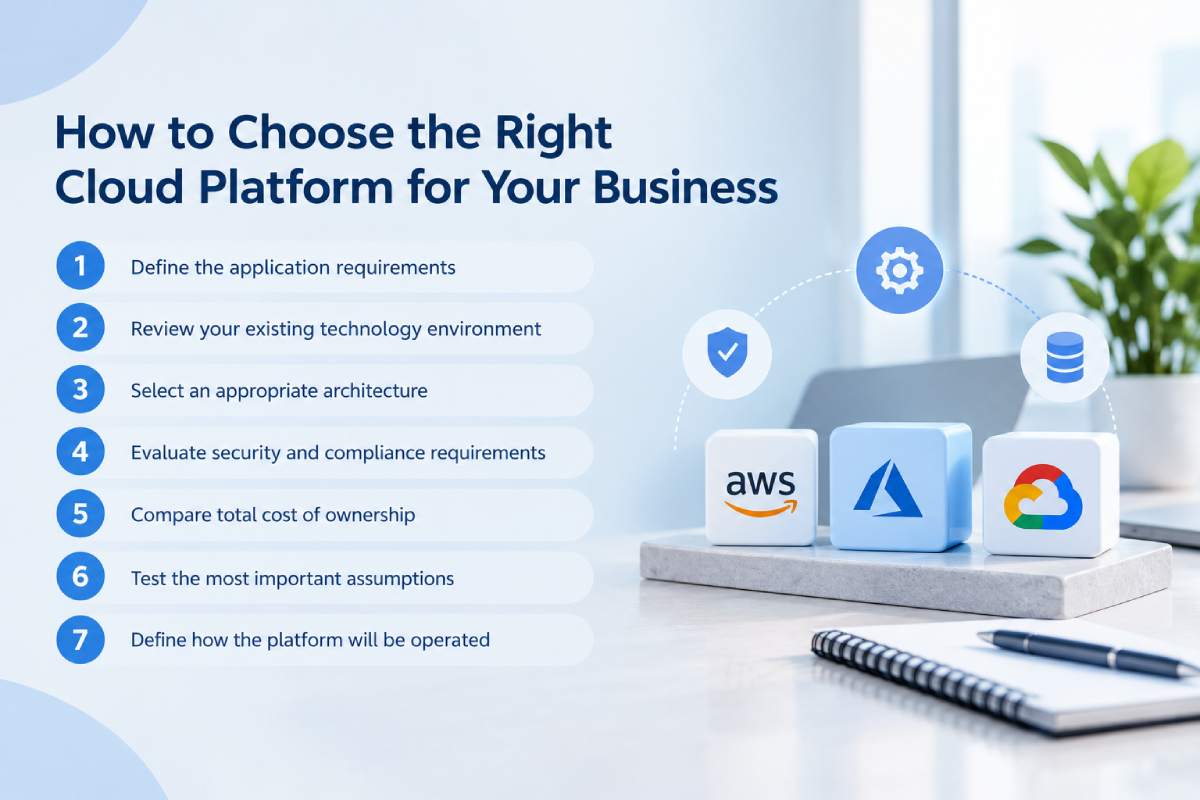
How to Choose the Right Cloud Platform for Your Business
The right cloud selection process begins with business requirements, not a product catalogue. A company should first understand the application it needs to build, the systems it must integrate with, and the operating model it can support.
Step 1: Define the application requirements
Document the application’s purpose, users, expected traffic, data types, integrations, and availability requirements. Identify which capabilities are essential for the first release and which can be introduced later.
For a business portal, the key requirements may be authentication, a database, document storage, and integration with an existing CRM. For a data platform, data ingestion, analytics performance, governance and processing costs may be more important.
Step 2: Review your existing technology environment
Identify the technologies, identity systems, databases, development tools and operational skills already used by the organisation.
An existing Microsoft environment may make Azure a natural candidate to evaluate, while an organisation with established AWS workloads may benefit from reusing its AWS expertise. A data-focused team may evaluate Google Cloud’s analytics capabilities.
These are evaluation advantages, not automatic decisions. The proposed architecture must still meet the application’s functional, security, and cost requirements. Successful Azure application development also requires evaluating existing dependencies, licensing arrangements, and the team’s technical capabilities.
Step 3: Select an appropriate architecture
Decide whether the application needs virtual machines, a managed application platform, containers, serverless computing, or a combination of services. Define how the application will store data, communicate between components, authenticate users, and recover from failures.
Avoid selecting individual services before the architecture is understood. A service that appears inexpensive in isolation may require additional components that change the overall cost. When planning a platform transition, cloud migration services should also evaluate application dependencies and potential downtime.
Step 4: Evaluate security and compliance requirements
Determine which data the application handles, who can access it, and what protection or compliance controls are required. Identify the relevant services, regions, access policies, encryption requirements, and recovery objectives. The design should explain how security responsibilities are divided between the cloud provider, the development team and the organisation operating the application.
Step 5: Compare total cost of ownership
Estimate infrastructure, databases, storage, networking, monitoring, backup, support, and expected operational effort. Use consistent workload assumptions when comparing providers. A practical AWS cloud development budget should include compute, storage, data transfer, and ongoing operational expenses.
Also consider the cost of training staff, migrating existing systems, and maintaining the architecture. The lowest initial infrastructure estimate may not represent the lowest total cost over the application’s useful life.
Step 6: Test the most important assumptions
Where the choice is uncertain, build a small proof of concept. Test the critical workflow, integration, performance requirement, or data-processing task that most affects the decision.
A proof of concept should answer a defined question. It is not necessary to build the complete application on every cloud simply to compare providers.
Step 7: Define how the platform will be operated
Before production launch, establish deployment processes, monitoring, access management, incident response, backup testing, and cost reviews. Assign clear ownership for each responsibility.
Cloud architecture is not finished when the application is deployed. It must be operated, maintained, and improved throughout its lifecycle.
Cloud Software Development Lifecycle: From Planning to Production
A reliable cloud application needs a delivery process that connects requirements, architecture, development, testing, and operations.
Discovery and requirements
The project begins by identifying the business problem, the users, the workflows, and the non-functional requirements. These include performance, security, availability, maintainability, and expected growth.
The discovery phase should also identify existing systems, data migration needs, and dependencies that could affect the schedule or cost.
Architecture and platform selection
The team defines the application architecture and evaluates appropriate cloud services. This includes compute, storage, databases, networking, identity, monitoring, and deployment.
The architecture should be documented well enough for developers and operators to understand the major components, dependencies, security boundaries, and recovery approach. For Google Cloud development, documenting service dependencies and deployment workflows helps teams maintain consistent application operations.
Development and integration
Developers implement the application and connect it to the required data sources and services. Source control, code review, and automated tests help maintain consistency as the application evolves.
Integrations should include appropriate error handling, retries, and monitoring where required. A successful API call during development does not prove that the integration will remain reliable under production conditions.
Testing and security validation
Test the core workflows, permissions, data handling, integrations, and error scenarios. Performance and load testing should reflect realistic usage and the business’s availability expectations.
Security checks should be built into the delivery process rather than left entirely to the end. The appropriate controls depend on the application and the sensitivity of its data.
Deployment and monitoring
Automated deployment processes can help make releases repeatable and reduce manual configuration errors. Monitoring should cover the application, its dependencies and the infrastructure needed to operate it.
Establish alert thresholds, logging policies, backup procedures and a way to roll back or recover from problematic releases.
Continuous optimisation
After launch, review application performance, reliability, security findings and cost trends. Use the information to prioritise improvements and adjust resources as usage changes. The cloud environment should evolve with the application, but changes should be evaluated against the original business objectives and the operational capabilities of the team.
Common Cloud Development Mistakes Businesses Should Avoid
Choosing a provider before defining requirements
Selecting AWS, Azure, or GCP based on familiarity or popularity can lead to unnecessary complexity or a poor fit. Define the workload requirements and evaluate the services needed before committing to the platform.
Overengineering the first release
Microservices, Kubernetes, and multi-cloud deployment can be valuable in the right circumstances, but they can also add unnecessary development and operational work. Start with an architecture that meets the actual requirements and can evolve as the application grows.
Ignoring cost management
Cloud services can scale quickly, but so can expenditure. Set budgets, monitor resource usage, review storage and logging, and evaluate the cost of data transfer and managed services.
Do not wait until the first unexpectedly high invoice to establish cost ownership.
Treating cloud security as the provider’s responsibility alone
Cloud providers secure parts of the underlying platform, but customers still need to configure access, protect application data, manage secrets, and maintain secure software. Define the responsibility boundaries and test the controls.
Migrating a legacy application without reviewing its architecture
Moving an application to virtual machines can relocate the workload without making it cloud-native. That may be a valid first step, but the organisation should understand which legacy constraints remain and whether further modernisation is justified.
Failing to plan for recovery
A cloud deployment does not automatically guarantee that an application can recover from a major failure. Define recovery objectives, maintain appropriate backups and test restoration procedures.
Focusing only on infrastructure cost
The cheapest cloud configuration may not meet reliability, performance or security requirements. Compare the total cost of delivering and operating the application at the required service level.
How a Cloud Software Development Company Can Help
Choosing a cloud platform is only one part of building a reliable application. The development partner must also understand the business workflow, application architecture, security requirements, and operational model. Experienced cloud application development services can help businesses turn these requirements into secure, maintainable software.
A capable cloud software development company should help the business:
- Translate business requirements into a clear application scope.
- Compare AWS, Azure, and GCP against the actual workload.
- Design the application architecture and data model.
- Select suitable managed services and deployment patterns.
- Implement authentication, access control, and data protection.
- Establish automated build, testing, and deployment workflows.
- Configure monitoring, backups and recovery procedures.
- Estimate infrastructure costs and establish cost controls.
- Document the system and transfer operational knowledge.
- Plan future development, migration and scaling.
The scope of these services should be explicit. Some providers specialise in architecture and migration, while others deliver the complete application and ongoing support. Businesses can use cloud migration services to plan workload transfers, validate application performance and reduce disruption during the transition. The business should understand which responsibilities are included and which remain with its internal team.
For enterprise projects, it is especially important to evaluate how the provider handles architectural decisions, integration dependencies, security reviews, and production operations. Scalable enterprise cloud solutions should also support future integrations, changing workloads, and long-term application maintenance. These responsibilities can influence long-term success as much as the initial development work.
Frequently Asked Questions About Cloud-Based Software Development
1. What is cloud-based software development?
Cloud-based software development is the process of building, deploying, and operating software using cloud infrastructure and managed services. These services can provide application hosting, databases, storage, networking, identity, monitoring, and deployment automation. The architecture determines how much infrastructure the development team manages directly.
2. Which is better: AWS vs Azure vs GCP?
None is universally better. AWS offers a broad cloud service portfolio, Azure can be especially relevant to Microsoft-centric environments, and Google Cloud is worth evaluating for analytics-intensive and cloud-native workloads. The best choice depends on the application, integrations, team skills, security requirements, and total cost of ownership.
3. Which cloud platform is best for enterprise software development?
All three can support enterprise software. Azure may be a strong candidate for organisations with substantial Microsoft dependencies, AWS for organisations with established AWS workloads or particular service needs, and Google Cloud for workloads that benefit from its data and application-development services. Evaluate the complete architecture and operational requirements before deciding.
4. Which cloud platform is cheapest?
There is no universal cheapest provider because the cost depends on the services, configuration, region, usage pattern, and operational requirements. Compare the same workload across providers, including compute, databases, storage, networking, monitoring, backups, and support. Use provider pricing tools and validate the estimate against realistic usage assumptions.
5. What is the difference between cloud application development and cloud migration?
Cloud application development creates or adapts software to run using cloud infrastructure and services. Cloud migration moves existing applications, data, or infrastructure from one environment to another. A migration can involve simple rehosting or more extensive modernisation, depending on the application’s needs.
6. What is cloud-native application development?
Cloud-native application development uses architectures and operating practices designed to take advantage of cloud capabilities. These may include managed services, containers, automation, elastic scaling, and distributed components. Cloud-native does not automatically mean microservices or Kubernetes; the architecture should match the workload.
7. Is AWS better than Azure for startups?
It depends on the startup’s product, team experience, existing technology, and required services. Both platforms can support startup applications, and Google Cloud may also be suitable. A startup should prioritise an architecture that is secure, manageable, and economical for its actual needs rather than selecting a provider based on popularity alone.
8. Is Google Cloud good for application development?
Google Cloud provides application hosting, APIs, databases, container services, deployment tools and analytics capabilities. It can support a broad range of applications. Its suitability depends on the required services, the team’s expertise, regional availability, integration needs, and operating costs.
9. What is the difference between containers and serverless computing?
Containers package an application and its dependencies for deployment. Serverless services abstract much of the underlying server management and can run code or applications according to the service’s execution model. The two approaches can overlap, but their operational responsibilities, scaling behaviour, and pricing differ.
10. Should a business use multi-cloud architecture?
Multi-cloud is appropriate when there is a clear business or technical reason to use multiple providers. It can add flexibility in specific scenarios, but it also increases the complexity of identity, networking, monitoring, deployment, cost management, and support. A single-cloud architecture is often simpler unless the benefits of multi-cloud justify the extra work.
11. How secure are AWS, Azure and GCP?
All three provide security capabilities, but security depends on the services selected and how they are configured. Businesses must manage application security, access permissions, data protection, monitoring, and recovery according to their responsibilities. The appropriate design should be validated against the organisation’s specific security and compliance requirements.
12. How do I choose a cloud software development company?
Look for relevant application and cloud architecture experience, a clear discovery process, transparent scope and cost estimates, and a documented approach to security, testing and deployment. Ask who will be responsible for the architecture and ongoing operations. Ensure the company explains its decisions and provides the documentation needed to maintain the system.
Conclusion: Choose the Cloud That Fits the Application, Not the Trend
AWS, Microsoft Azure, and Google Cloud all provide powerful tools for cloud-based software development. Their services overlap, but their ecosystems, service options, integration paths, and operating models differ in ways that can matter to a specific application.
The right decision begins with the business requirements. Define the workload, evaluate existing technology dependencies, choose an appropriate architecture, estimate total cost of ownership, and establish security and operational responsibilities. When a major uncertainty remains, test it with a small proof of concept before committing to a full implementation.
Avoid choosing a cloud provider solely because it is popular or appears inexpensive in a basic pricing comparison. A good cloud architecture must meet the application’s functional needs while remaining secure, maintainable, reliable, and economically sustainable.
Planning a cloud-based application or modernising an existing system? Start with a requirements and architecture assessment that compares AWS, Azure and GCP against your workload, integrations, security needs and growth plans. A well-defined cloud strategy can help you make a more informed investment and reduce avoidable complexity as the software evolves. Contact Ideamagix Cloud-based Software Development in Mumbai and Thane to discuss your application requirements, cloud architecture, and development goals.