

Security threats keep rising.
Page speed slows down over time.
Search engines expect more stability than ever.
That’s exactly why WordPress website maintenance has become a core part of running any online business in 2026, whether you’re a solopreneur, a local business in Mumbai, a US-based startup, or a large enterprise in New York.
This guide covers everything you need:
- Monthly vs annual WordPress website maintenance services
- Full breakdown of tasks you actually get
- SLA expectations
- Pricing for each model
- What agencies are included in 2026
- What a real maintenance plan should cover
- ROI because maintenance isn’t a cost, it’s a protection plan
- What makes the best WordPress website maintenance companies different
And yes, all target keywords will be used naturally and repeatedly.
Let’s get into it.
Why WordPress Website Maintenance Matters More Than Ever in 2026
WordPress is powerful because it’s flexible.
But that flexibility also means it needs care.
Here’s the reality in 2026:
- WordPress powers 43%+ of the entire web
- It is the #1 target for hacking attempts
- 90% of hacked CMS websites are WordPress
- 50% of issues happen because updates were ignored
- 1 outdated plugin can break a fully working site
People often tell us:
“My site is working fine. Why do I need monthly changes?”
Because “working fine” today doesn’t mean “safe tomorrow.”
And that’s why companies invest in WordPress website maintenance services, whether they’re in Mumbai, New York, or anywhere else. The geography changes, but the need doesn’t.
What WordPress Website Maintenance Actually Includes (Realistic Breakdown)
A proper maintenance plan goes way beyond “updating plugins.”
Here’s the full task breakdown that every WordPress website maintenance company should offer in 2026:
1. Core WordPress Updates
- WordPress core updates
- PHP version compatibility
- Theme updates
- Plugin updates
- Testing after each update
2. Security Protection
- Firewall setup
- Malware scanning
- File integrity monitoring
- Login security (2FA, CAPTCHA, login attempt limits)
- IP blocking + bot protection
- Emergency hack cleanup (in some packages)
This is why many clients specifically search for:
best WordPress website maintenance and support, because they want real protection, not just small tweaks.
3. Backups
- Daily cloud backups
- Off-site storage (Google Cloud, AWS, DigitalOcean)
- Full restore capabilities
- Versioned backups
4. Performance Optimization
- Image compression
- Database cleanup
- Cache optimization
- Broken link fixes
- Speed improvement audits
- CDN setup and monitoring
5. Uptime Monitoring
- 24/7 alerts
- Instant issue reporting
- Automated system restarts
- SLA-based response times
6. Technical Fixes
- Plugin conflicts
- Theme bugs
- Redirect issues
- Mobile responsiveness issues
- Contact form errors
- Broken functionality
7. Content & Minor Edits
- Updating text and images
- Adding new pages
- Blog uploads
- Product addition (eCommerce plans)
8. SEO Technical Care
- Error fixes in Google Search Console
- Sitemaps
- Schema updates
- Core Web Vitals improvement
- Indexing checks
This is what you actually get when you sign up for wordpress website maintenance services, not just someone “clicking update” once a month.
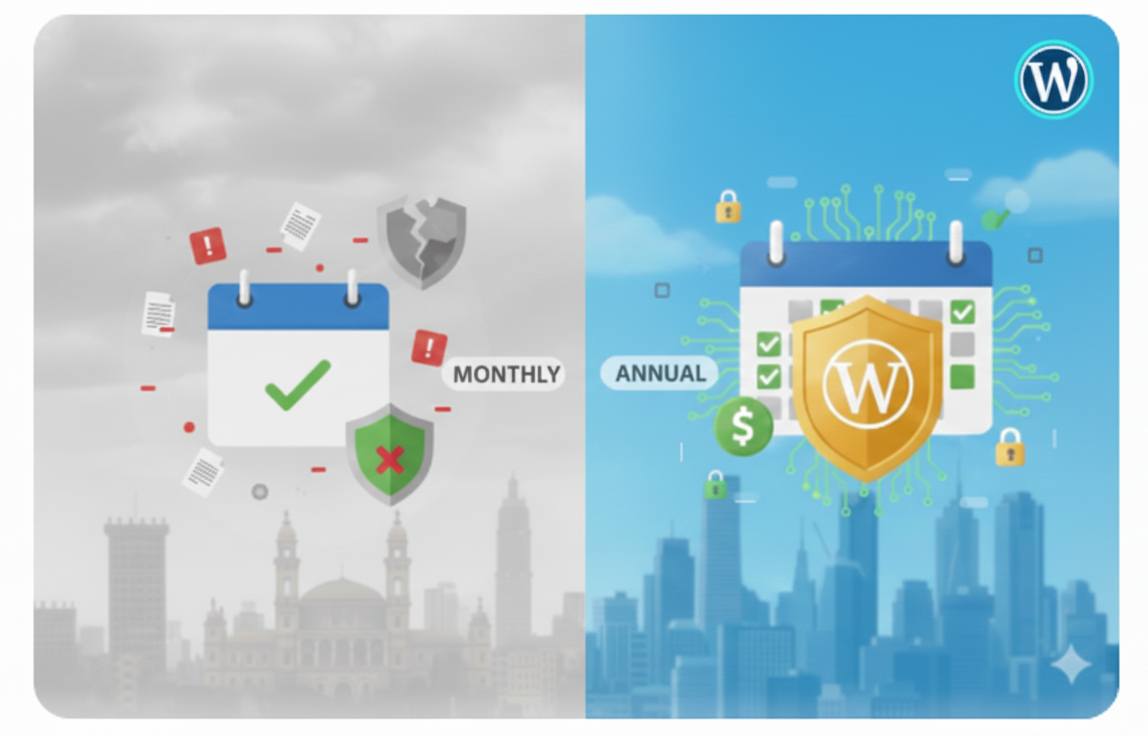
Monthly vs Annual WordPress Maintenance: Which Is Better in 2026?
Most businesses struggle with this decision, so let’s break it down simply.
Monthly WordPress Website Maintenance
Best for:
- Small businesses
- New websites
- Seasonal businesses
- Anyone wanting flexibility
- Clients who prefer a month-to-month commitment
Pros
- You can cancel anytime
- Good for testing the agency’s reliability
- Predictable monthly cost
- Great for websites with minimal updates
Cons
- Usually more expensive than annual pricing
- Short-term, so deeper tasks may not be included
- Some companies limit major fixes
- Security audits might be less extensive
Average pricing (2026):
- Basic: $50 – $100 / month
- Standard: $150 – $300 / month
- Advanced: $350 – $600 / month
- Enterprise: $800 – $2,500 / month
We see these rates consistently across markets, from wordpress website maintenance Mumbai to wordpress website maintenance New York.
Annual WordPress Website Maintenance Packages
Best for:
- Growing companies
- eCommerce businesses
- High-traffic sites
- Websites needing strong security
- Anyone wanting full support at a better price
Pros
- Big savings (15–40% discount)
- Priority support
- Full security suite
- Deeper manual audits
- SLA-backed response times
- Faster fixes
- Better long-term stability
Most clients prefer wordpress website maintenance packages on an annual basis because the cost is predictable and comprehensive.
Cons
- Upfront cost
- You commit to one company
- Switching mid-year is harder
Average yearly pricing (2026):
- Basic: $500 – $900 / year
- Standard: $1,200 – $2,500 / year
- Advanced: $2,800 – $5,000 / year
- Enterprise: $7,500 – $25,000 / year
This is the pricing structure we see across global markets for wordpress website maintenance services Mumbai, Dubai, Singapore, London, New York, etc.
Which Is Better: Monthly or Annual?
If you want flexibility → Go Monthly
If you want real maintenance → Go Annual
Annual plans give you more value, more security, and better performance.
Most “serious” businesses choose yearly WordPress website maintenance and support because they can’t afford surprises.
Comparing Monthly vs Annual WordPress Maintenance (Side-by-Side)
| Feature | Monthly | Annual |
| Cost | Higher | Lower |
| SLA priority | Low | High |
| Security audits | Basic | Detailed |
| Performance optimization | Limited | Full |
| Uptime monitoring | Often included | Always included |
| Emergency support | Extra cost | Usually included |
| Plugin conflict fixes | Limited | Unlimited |
| SEO monitoring | Basic | Advanced |
Annual is the clear winner for long-term websites.
What Clients REALLY Need in 2026 (New Industry Standards)
2026 maintenance looks different from 2020 or 2022.
Here’s what every wordpress website maintenance service must now include:
1. AI Threat Detection
Security threats have doubled.
AI-based firewall learning is now standard.
2. Automated Conflict Testing
Updates must be tested safely, not on the live site.
3. Advanced Core Web Vitals Monitoring
Google now updates ranking signals monthly.
4. Cloud Backups Across Multiple Locations
Not just one server.
5. PHP 8+ Compatibility
Performance jumps significantly.
6. Accessibility Audits (WCAG 2.2)
Legal compliance is now essential.
7. Proactive Performance Boosting
Not just fixing speed, but maintaining speed.
8. Analytics-Based Error Tracking
Tools like Sentry or LogRocket are crucial.
In short:
Maintenance is now a full technical service, not a “small support plan.”
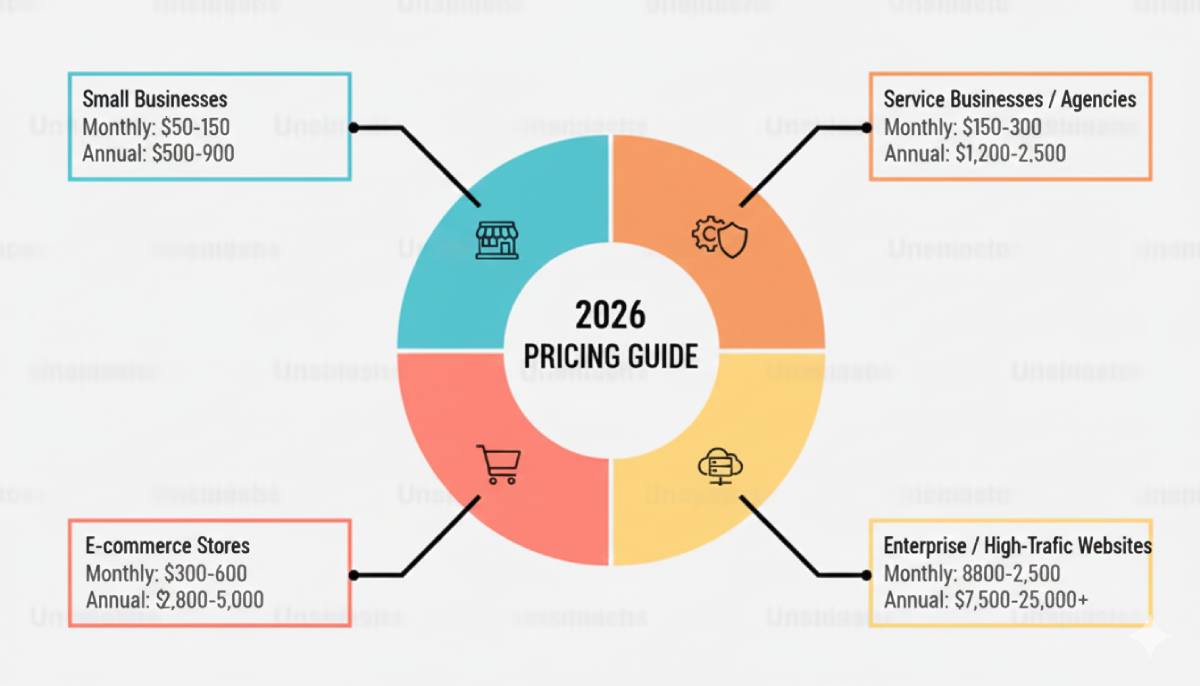
How Much WordPress Maintenance Should Cost (2026 Pricing Guide)
Let’s break it down by business type.
For Small Businesses
- Monthly: $50 – $150
- Annual: $500 – $900
Includes:
Basic updates, backups, and uptime monitoring.
For Service Businesses / Agencies
- Monthly: $150 – $300
- Annual: $1,200 – $2,500
Includes:
Speed optimization, security scanning, and GSC monitoring.
For eCommerce Stores
- Monthly: $300 – $600
- Annual: $2,800 – $5,000
Includes:
WooCommerce updates, checkout testing, product fixes.
For Enterprise or High-Traffic Websites
- Monthly: $800 – $2,500
- Annual: $7,500 – $25,000
Includes:
Advanced security, uptime SLAs, DevOps-level monitoring.
These are the numbers used by every large wordpress website maintenance company.
Sample WordPress Website Maintenance Packages (2026)
Here’s a realistic structure used by top agencies.
Starter Plan
Best for small sites
Includes:
- Weekly plugin updates
- Monthly backups
- Simple bug fixes
- Uptime monitoring
- Email support
Standard Plan
Best for business websites
Includes:
- Weekly updates
- Daily backups
- Speed optimization
- Security firewall
- Monthly reports
- Content edits (small tasks)
Advanced Plan
Best for eCommerce
Includes:
- Daily updates
- Product fixes
- Custom code monitoring
- Security suite
- Malware cleanup
- Quarterly performance audits
Enterprise Plan
Best for high-traffic businesses
Includes:
- 24/7 support
- DevOps-level monitoring
- Cloud CDN
- Dedicated security team
- Real-time backups
- SLA uptime (99.9%)
This is the difference between basic WordPress website maintenance and professional maintenance.
SLA Guarantees You Should Expect in 2026
Every proper plan must include:
Guaranteed response times
- Critical issues: within 15–60 minutes
- Moderate issues: same day
- Minor issues: 24–72 hours
Website uptime guarantee
- Minimum 99.9%
- Some offer 99.99% for enterprise
Security guarantee
If something breaks due to updates, they fix it.
If a plugin causes issues, they fix it.
SLAs protect you.
And they show whether a company is actually reliable.
ROI of Regular WordPress Maintenance (Real Numbers)
Many clients think maintenance is an expense.
But it actually saves money.
1. Prevents expensive downtime
Average loss per hour of downtime:
- Small business: $1,000 – $5,000
- e-commerce business: $5,000 – $30,000
- Enterprise: $50,000+
2. Prevents security breaches
Hack cleanup cost:
$800 – $5,000
Ransomware cost:
$5,000 – $50,000
Maintenance cost:
$50 – $600 per month
You tell me which is cheaper.
3. Improves SEO
Fast + stable + secure = higher rankings.
4. Improves conversions
Better speed = higher sales = real profit.
5. Extends your website’s lifespan
Maintenance keeps the site stable for years.
That’s genuine ROI.
WordPress Maintenance for Mumbai Businesses (Local Insights)
Many clients look for wordpress website maintenance Mumbai because they want:
- Local support
- Local billing
- Local time zone
- Faster communication
Mumbai-based businesses have unique needs:
- Heavy mobile traffic
- Local hosting setups
- eCommerce challenges
- High competition
- Local SEO dependencies
Maintenance in Mumbai often includes:
- Page speed optimization for Indian hosting
- Payment gateway compatibility
- WooCommerce performance tuning
- Regional caching strategies
WordPress Maintenance for New York Businesses (Local Insights)
Searches for wordpress website maintenance New York usually come from:
- Agencies
- Tech startups
- SaaS platforms
- High-traffic blogs
- Professional firms
NYC clients expect:
- Faster support
- Higher SLAs
- Enterprise-level security
- Cloud hosting setups
- Stronger reporting
NY websites often include integrations:
- CRM
- HubSpot
- Salesforce
- Custom API layers
The maintenance workload is much heavier, so the plans reflect that.
How to Choose the Right WordPress Website Maintenance Company
Here’s a simple checklist:
Choose a company that:
- Offers 24/7 support
- Provides real SLAs
- Works with WordPress daily
- Has security-focused services
- Provides monthly reports
- Offers manual audits
- Can handle emergency fixes
- Has a history of stable work
- Understands Core Web Vitals
If an agency does not mention security or backups, run.
Red Flags to Avoid
- “Unlimited tasks” (usually fake)
- No security guarantee
- No uptime monitoring
- No staging environment
- No backup verification
- No reports
- Cheap pricing that looks too good
If someone offers maintenance at ₹500 per month, they’re not maintaining anything.
FAQs
1. What is included in WordPress website maintenance?
It includes updates, backups, security, uptime monitoring, speed optimization, bug fixes, and technical support.
2. Why do I need WordPress website maintenance in 2026?
Because security threats, plugin conflicts, and performance issues are increasing. Maintenance keeps your website safe and stable.
3. How much do WordPress website maintenance services cost?
Monthly plans range from $50–$600. Annual plans range from $500–$5,000+, depending on your needs.
4. What is the best WordPress website maintenance package?
The best plan includes daily backups, frequent updates, full security, speed optimisation, uptime monitoring, and a guaranteed SLA.
5. Should I choose monthly or annual maintenance?
Annual plans provide better pricing and deeper support. Monthly plans are best for flexibility.
6. What is the difference between basic and advanced maintenance?
Basic covers updates and backups. Advanced covers security, speed, fixes, and full support.
Final Thoughts: What You Actually Need in 2026
If your website brings you customers, then maintaining it is not optional.
It’s a business decision that protects your brand, your revenue, and your reputation.
A fast, secure, stable website that never breaks and always works for your business.