
Introduction
Google Ads is one of the most powerful digital advertising platforms available today. It gives businesses the ability to appear in front of potential customers at the exact moment they are searching for products or services. Whether someone is looking for a Google Ads agency, a local dentist, enterprise software, or an ecommerce product, Google Ads allows businesses to capture high-intent traffic that is often ready to convert.
However, despite its potential, many businesses are disappointed with the results they achieve. They invest thousands or even lakhs of rupees every month, yet struggle with rising advertising costs, low-quality leads, poor conversion rates, or campaigns that generate clicks without producing meaningful revenue. This often leads to the assumption that “Google Ads doesn’t work,” when in reality the problem usually lies in how the campaigns are planned, managed, and optimized.
One of the biggest misconceptions is that Google Ads is a platform where success comes simply from increasing budgets. In reality, Google Ads is an optimization platform. The businesses that achieve the best results are not necessarily those spending the most money they are the ones building well-structured campaigns, understanding customer intent, improving landing pages, implementing accurate conversion tracking, and continuously refining performance based on data.
Google’s advertising ecosystem has also evolved significantly. Artificial intelligence, Smart Bidding, Performance Max campaigns, audience signals, first-party data, Enhanced Conversions, and privacy updates have fundamentally changed how campaigns should be managed. Strategies that worked three or four years ago may now underperform if they are not adapted to these changes.
Another important factor is that customers have become more informed. Before submitting an enquiry or making a purchase, they often compare multiple providers, read reviews, visit several websites, and even consult AI-powered platforms such as ChatGPT, Gemini, Claude, and Perplexity. Winning a click is no longer enough—you must also provide a seamless experience that builds trust and encourages action.
In this comprehensive guide, we’ll explore the 21 most common Google Ads mistakes that prevent businesses from achieving profitable results. More importantly, you’ll learn how to identify these issues, understand why they occur, and implement practical Google Ads optimization strategies that improve campaign performance and maximize return on investment.
Whether you’re managing campaigns yourself or working with a Google Ads management company, these insights will help you avoid costly mistakes and build campaigns that generate qualified leads rather than wasted clicks. Many businesses searching for why Google Ads not working discover that campaign structure and optimization not budget are the real factors affecting performance.
Why Google Ads Campaigns Fail Even with Large Budgets
One of the most surprising realities of digital advertising is that increasing your budget does not automatically improve your results. Many businesses assume that if they simply spend more on Google Ads, they will generate more leads, more sales, and higher revenue. Unfortunately, this assumption often leads to disappointing outcomes.
Imagine two companies in the same industry, each spending ₹5,00,000 per month on Google Ads.
- Company A generates hundreds of qualified enquiries and achieves a healthy return on investment.
- Company B receives thousands of clicks but struggles to convert visitors into paying customers.
The difference is not the advertising budget it’s the quality of the strategy behind the campaigns. Google Ads is designed to reward relevance, user experience, and campaign quality. Businesses that optimize these areas often outperform competitors with much larger budgets.
Budget Does Not Fix Structural Problems
Think of Google Ads like pouring water into a bucket. If the bucket has holes, adding more water doesn’t solve the problem it simply wastes more water.
Similarly, if your campaigns suffer from:
- poor keyword targeting
- weak advertisements
- irrelevant landing pages
- inaccurate conversion tracking
- low Quality Scores
then increasing your advertising spend will only magnify these inefficiencies. Before scaling google ads budgets, businesses should ensure the underlying campaign structure is capable of generating profitable results.
Google Ads Is a Continuous Optimization Process
Many businesses launch campaigns and expect them to perform consistently without further attention. In reality, Google Ads is dynamic.
Every day:
- competitors adjust their bids
- customer search behaviour changes
- new keywords emerge
- Google’s AI algorithms evolve
- seasonal demand fluctuates
A campaign that performed well last month may underperform today if it isn’t continuously optimized. Professional Google Ads management services focus on ongoing improvements rather than one-time setup.
Optimization typically includes:
- search term analysis
- keyword refinement
- ad copy testing
- bid adjustments
- audience segmentation
- landing page improvements
- budget redistribution
These activities ensure campaigns remain competitive over time.
Every Click Does Not Have Equal Value
A common mistake is measuring success by click volume.
For example:
Campaign A
- 2,000 clicks
- 12 conversions
Campaign B
- 800 clicks
- 45 conversions
Although Campaign A generated more traffic, Campaign B delivered significantly better business results because it attracted more qualified visitors. The objective should never be maximizing clicks.
Instead, campaigns should optimize for:
- qualified leads
- appointments
- purchases
- revenue
- customer acquisition cost
This shift in focus dramatically improves long-term profitability.
Poor User Experience Reduces Campaign Performance
Google evaluates what happens after someone clicks your advertisement. If users arrive on a slow, confusing, or irrelevant webpage, Google interprets this as a poor experience.
Consequences include:
- lower Quality Score
- higher Cost Per Click
- reduced advertisement visibility
- lower conversion rates
Successful campaigns therefore require strong collaboration between advertising strategy and website optimization.
Landing pages should:
- answer the user’s search intent
- load quickly
- work flawlessly on mobile devices
- communicate trust
- encourage immediate action
AI Has Changed Google Ads Management
Modern Google Ads campaigns rely heavily on machine learning.
Google’s AI evaluates millions of signals, including:
- search intent
- location
- device
- browsing behaviour
- demographics
- previous interactions
- audience characteristics
- conversion history
However, artificial intelligence performs only as well as the data it receives. Poor conversion tracking or incorrect campaign objectives lead Google’s algorithms to optimize for the wrong outcomes. Businesses that combine AI automation with strategic human oversight generally achieve the strongest performance.
Key Insight: Large advertising budgets do not compensate for poor campaign strategy. Sustainable Google Ads success comes from continuous optimization, accurate data, high-quality landing pages, and aligning every campaign with clear business objectives.
How to Identify If Your Google Ads Campaign Is Underperforming
Many businesses continue spending on Google Ads without realizing their campaigns are underperforming. Because advertisements still receive impressions and clicks, it’s easy to assume everything is working correctly. However, campaign success should always be measured against business outcomes rather than platform activity.
A campaign may generate thousands of clicks while producing very few qualified enquiries or sales. Recognizing these warning signs early allows businesses to correct issues before significant advertising budgets are wasted. If you’re wondering why Google Ads not working despite receiving clicks, reviewing these performance indicators can help uncover the underlying issues.
Warning Sign 1: High Clicks, Very Few Conversions
One of the clearest indicators of poor performance is a campaign attracting traffic without generating enquiries or purchases.
Possible causes include:
- low-intent keywords
- weak landing pages
- poor audience targeting
- misleading advertisements
- technical tracking issues
This problem often indicates a disconnect between user expectations and the experience provided after the click.
Warning Sign 2: High Cost Per Click (CPC)
A steadily increasing CPC often suggests:
- intense keyword competition
- declining Quality Scores
- poor advertisement relevance
- ineffective bidding strategy
- Simply increasing bids rarely solves the issue.
Instead, advertisers should improve campaign quality and relevance.
Warning Sign 3: Low Click-Through Rate (CTR)
If advertisements receive many impressions but very few clicks, users may not find them compelling.
Potential causes include:
- generic headlines
- weak value proposition
- poor ad relevance
- ineffective calls-to-action
- strong competitor messaging
Testing multiple advertisement variations usually improves CTR.
Warning Sign 4: High Bounce Rate
Visitors leaving immediately after arriving on your website often indicate:
- irrelevant landing pages
- slow loading speed
- confusing navigation
- poor mobile experience
- mismatch between advertisement and landing page
High bounce rates reduce conversion opportunities while negatively affecting campaign performance.
Warning Sign 5: Low Quality Score
Quality Score influences:
- advertisement ranking
- Cost Per Click
- overall campaign efficiency
Low scores typically result from:
- irrelevant keywords
- weak advertisements
- poor landing page experience
Improving Quality Score often lowers advertising costs without reducing traffic.
Warning Sign 6: Rising Cost Per Lead (CPL)
Increasing CPL means campaigns are becoming less efficient.
Possible reasons include:
- increased competition
- declining conversion rates
- audience fatigue
- poor budget allocation
Monitoring CPL regularly helps businesses maintain profitability.
Warning Sign 7: Poor Return on Ad Spend (ROAS)
Ultimately, advertising should generate profitable revenue.
If campaign costs continue increasing while revenue remains flat, businesses should review:
- campaign structure
- keyword selection
- landing pages
- conversion tracking
- bidding strategy
Optimizing these areas usually produces stronger long-term returns than increasing advertising budgets.
Google Ads Health Check Checklist
Use the following checklist to evaluate your account:
| Performance Indicator | Healthy Campaign | Needs Attention |
| Click-Through Rate (CTR) | Strong and improving | Low CTR despite impressions |
| Cost Per Click (CPC) | Stable or decreasing | Continuously increasing |
| Quality Score | 7–10 | Below 6 |
| Bounce Rate | Low to moderate | Very high |
| Conversion Rate | Consistently improving | Few or no conversions |
| Cost Per Lead (CPL) | Within target range | Increasing over time |
| ROAS | Positive and measurable | Low or declining |
| Conversion Tracking | Fully implemented | Missing or inaccurate |
Regularly reviewing these indicators helps identify performance issues before they become expensive problems.
Key Takeaway: Most failing campaigns show warning signs long before budgets are exhausted. Monitoring the right metrics and acting on them enables businesses to optimize campaigns proactively rather than reacting after performance has already declined.
Mistake #1: No Clear Business Goal
One of the most common and costly Google Ads mistakes happens before the campaign is even created.
Many businesses launch campaigns with a vague objective such as:
- “Get more traffic.”
- “Increase website visitors.”
- “Generate awareness.”
While these goals sound reasonable, they are too broad to guide effective campaign optimization. Google Ads performs best when campaigns are built around specific, measurable business outcomes.
Without a clear objective, it’s impossible to decide:
- which keywords to target
- which bidding strategy to use
- what type of landing page to create
- which conversions matter most
- how success should be measured
As a result, campaigns often optimize for clicks rather than revenue.
For example, a B2B software company should optimize for qualified demo requests not website visits. A dental clinic should prioritize appointment bookings rather than page views. An ecommerce business should focus on revenue and return on ad spend instead of impressions.
How to Fix It
Before launching any campaign, define:
- Primary business objective
- Target Cost Per Lead (CPL)
- Expected conversion rate
- Revenue target
- Customer Acquisition Cost (CAC)
- Return on Ad Spend (ROAS)
Every optimization decision should support these objectives.
Business Insight: Businesses with clearly defined KPIs make better optimization decisions because every campaign element is aligned with measurable commercial outcomes rather than vanity metrics.
Mistake #2: Choosing the Wrong Keywords
Keyword selection is the foundation of every Google Ads campaign. Choosing the wrong keywords can result in thousands of irrelevant clicks, wasted advertising budgets, and poor-quality leads. Many advertisers make the mistake of targeting broad, high-volume keywords because they believe more searches automatically mean more business.
For example, targeting a keyword like:
“marketing” is extremely broad.
It may attract users looking for:
- marketing jobs
- marketing courses
- marketing books
- marketing definitions
- marketing templates
None of these users are likely to hire a Google Ads agency.
Instead, advertisers should focus on high-commercial-intent searches such as:
- Google Ads management services
- Google Ads agency in Mumbai
- PPC management services
- Google Ads management company
These keywords attract users who are actively evaluating service providers.
How to Fix It
Build keyword lists around:
- Commercial intent
- Transactional searches
- Long-tail keywords
- Local modifiers
- Industry-specific terms
Regular keyword research and search term analysis should be part of your ongoing Google Ads optimization process.
Key Takeaway: More traffic doesn’t always mean more business. The right keywords attract the right customers and that’s what drives profitable campaigns.
Mistake #3: Ignoring Search Intent
One of the biggest reasons businesses ask “Why is my Google Ads not working?” is because they’re targeting keywords without understanding the intent behind the search.
Search intent refers to the reason why a user performs a search. Two people searching similar keywords may have completely different objectives. One may simply be gathering information, while another is actively looking to purchase a product or hire a service provider.
For example:
Informational Search
- What is Google Ads?
- How does PPC work?
- Google Ads tutorial
These users are researching and are unlikely to convert immediately.
Commercial Investigation
- Best Google Ads agency
- Google Ads management company reviews
- PPC management services comparison
These users are evaluating service providers.
Transactional Search
- Hire Google Ads agency
- Google Ads management services
- PPC company near me
These users are ready to take action. Many advertisers waste budgets by targeting informational keywords while expecting immediate conversions.
Business Impact
Ignoring search intent often leads to:
- low conversion rates
- higher Cost Per Lead
- poor lead quality
- increased bounce rates
- wasted advertising spend
How to Fix It
Segment campaigns according to user intent.
Create separate campaigns for:
- Brand awareness
- Commercial research
- Lead generation
- Sales
This allows different messaging, landing pages, and bidding strategies for each audience stage.
Optimization Tip: High-commercial-intent keywords usually produce lower traffic but significantly higher conversion rates.
Mistake #4: Poor Campaign Structure
Campaign structure is the foundation of Google Ads optimization. Unfortunately, many businesses create one large campaign containing dozens or even hundreds of unrelated keywords.
For example:
Campaign: Digital Marketing
Ad Group: Marketing
Keywords:
- SEO
- Google Ads
- Facebook Ads
- Website Design
- Branding
- Content Marketing
Google struggles to determine which advertisement best matches each search.
The result:
- poor ad relevance
- lower Quality Score
- higher CPC
- weaker CTR
Why Campaign Structure Matters
A well-structured campaign improves:
- advertisement relevance
- Quality Score
- Click-Through Rate
- conversion rate
- reporting accuracy
It also makes optimization significantly easier.
Best Practice
Organize campaigns based on:
- services
- locations
- products
- customer intent
- business objectives
Example:
Campaign
Google Ads Management
↓
Ad Group
Google Ads Agency
↓
Ad Group
Google Ads Management Services
↓
Ad Group
Google Ads Experts
↓
Ad Group
PPC Management Services
Each ad group should contain tightly related keywords with highly relevant advertisements.
Mistake #5: Weak Ad Copy
Even perfectly targeted keywords won’t perform if advertisements fail to capture attention. Many businesses write advertisements that sound generic: “We provide digital marketing services.” This does little to differentiate the business from competitors.
High-performing advertisements answer three questions immediately:
- Why should someone click?
- Why should they trust you?
- Why should they choose you instead of competitors?
Characteristics of Strong Ad Copy
Effective advertisements include:
- clear value proposition
- customer benefits
- numbers and proof
- strong CTA
- trust signals
Example:
❌ Poor- “We Offer Google Ads Services”
✅ Better- “Certified Google Ads Experts | Increase Qualified Leads | Free Campaign Audit”
The second advertisement immediately communicates expertise, benefits, and a reason to engage.
How to Fix It
Test multiple variations of:
- headlines
- descriptions
- offers
- CTAs
- emotional triggers
- trust elements
Continuous A/B testing should become part of every optimization cycle.
Mistake #6: Sending Paid Traffic to the Homepage
This is one of the most expensive Google Ads mistakes businesses make.
Imagine searching: “Google Ads Management Services” but landing on a generic homepage discussing SEO, web development, branding, careers, and company history. Most visitors leave immediately.
Why This Happens
Businesses often assume the homepage can answer every user’s needs. In reality, paid advertising requires focused landing pages matching the user’s search intent.
Business Impact
Sending paid traffic to the homepage usually results in:
- lower conversion rates
- higher bounce rates
- reduced Quality Score
- increased Cost Per Click
Best Practice
Every campaign should direct visitors to a dedicated landing page containing:
- matching headline
- service-specific content
- trust signals
- testimonials
- CTA above the fold
- lead form
- FAQs
Google rewards landing pages that closely match advertisement messaging.
Mistake #7: Poor Landing Page Experience
Many advertisers spend weeks optimizing campaigns while neglecting the page where conversions actually occur. Your landing page has a greater impact on campaign success than many businesses realize.
Google evaluates:
- page speed
- mobile responsiveness
- content relevance
- navigation
- user experience
Customers evaluate:
- credibility
- clarity
- trust
- ease of action
If either Google or users have a poor experience, campaign performance declines.
Common Landing Page Problems
- slow loading
- cluttered design
- confusing messaging
- weak CTA
- excessive form fields
- no testimonials
- no social proof
How to Fix It
Optimize landing pages by improving:
- loading speed
- message clarity
- visual hierarchy
- mobile experience
- trust indicators
- conversion-focused design
Landing page optimization often produces greater ROI than increasing advertising budgets.
Mistake #8: No Conversion Tracking
One of the biggest reasons businesses struggle with Google Ads optimization is that they don’t know what actually generates revenue.
Many accounts still measure success using:
- clicks
- impressions
- CTR
These metrics provide useful insights but they don’t indicate business success. Without conversion tracking, Google cannot distinguish between valuable visitors and casual browsers.
Essential Conversions to Track
- lead forms
- phone calls
- WhatsApp clicks
- purchases
- appointment bookings
- demo requests
- newsletter sign-ups
Business Impact
Without tracking:
- Smart Bidding becomes ineffective
- budgets are allocated inefficiently
- optimization becomes guesswork
Best Practice
Implement:
- Google Analytics 4
- Google Tag Manager
- Enhanced Conversions
- Offline Conversion Tracking
- CRM integration
Professional ppc management services rely on accurate tracking before optimizing campaigns.
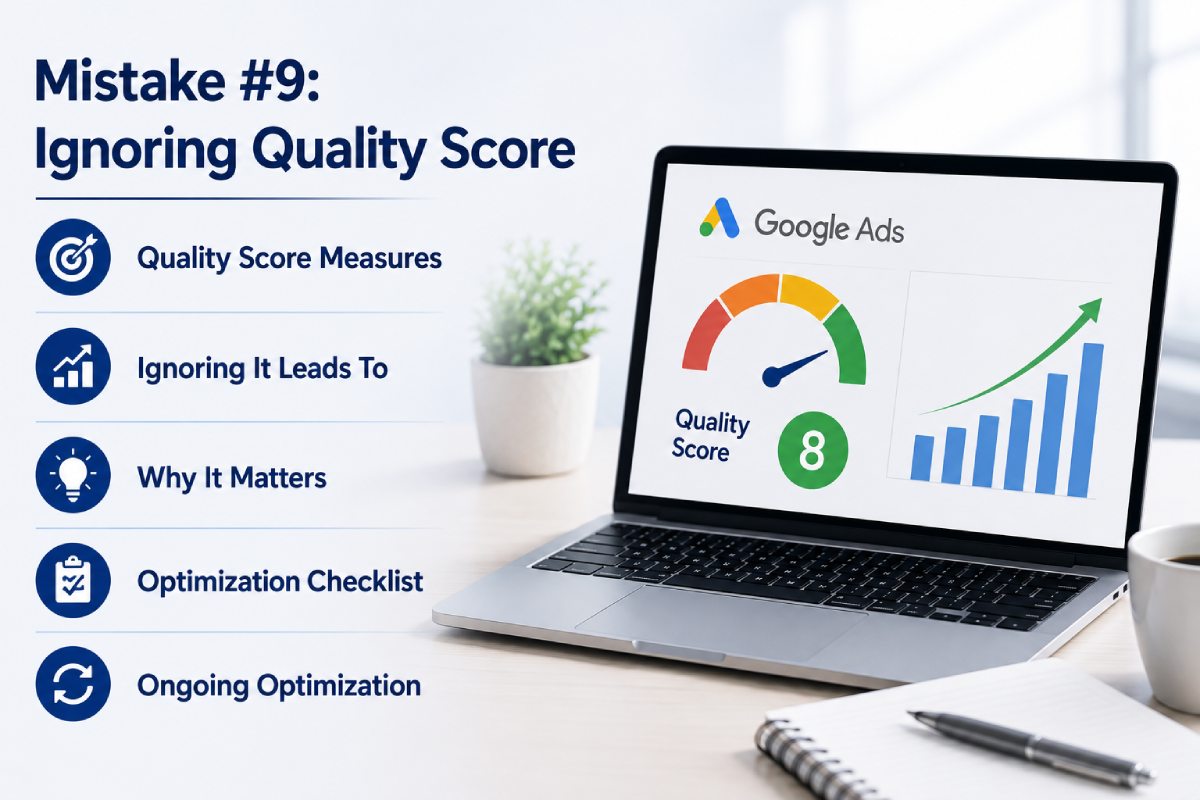
Mistake #9: Ignoring Quality Score
Quality Score is one of Google’s strongest indicators of campaign quality.
It measures:
- keyword relevance
- advertisement quality
- landing page experience
- expected CTR
Many advertisers focus only on bids while ignoring Quality Score.
This often results in:
- higher CPC
- lower Ad Rank
- reduced visibility
Why It Matters?
Improving Quality Score from:
5
↓
8
can reduce advertising costs significantly while increasing impressions and clicks.
Optimization Checklist
Improve:
- keyword grouping
- advertisement relevance
- landing page content
- loading speed
- mobile usability
Quality Score optimization should be an ongoing process rather than a one-time activity.
Mistake #10: Not Using Negative Keywords
Every irrelevant click consumes advertising budget. Negative keywords prevent advertisements from appearing for searches unlikely to generate customers.
Example
A business selling Google Ads management services should exclude:
- free
- jobs
- salary
- internship
- tutorial
- certification
- course
Without these exclusions, advertisements may appear for users who have no intention of purchasing services.
Benefits
Negative keywords help:
- improve CTR
- reduce wasted spend
- increase lead quality
- improve ROAS
Search term reports should be reviewed weekly to identify new negative keyword opportunities.
Mistake #11: Choosing the Wrong Bidding Strategy
Google Ads offers several bidding strategies, each designed for different campaign objectives.
Examples include:
- Manual CPC
- Maximize Clicks
- Maximize Conversions
- Target CPA
- Target ROAS
Many businesses select bidding strategies without understanding when each should be used.
Example
A brand-new account using Target CPA without enough conversion data often struggles because Google’s AI lacks sufficient learning signals.
Best Practice
Match bidding strategy to campaign maturity:
- New campaigns → Manual CPC or Maximize Clicks
- Established lead generation → Maximize Conversions
- Ecommerce → Target ROAS
Regularly evaluate performance rather than relying indefinitely on one bidding model.
Mistake #12: Ignoring Audience Targeting
Modern Google Ads campaigns extend far beyond keyword targeting.
Businesses can refine campaigns using audience signals such as:
- demographics
- interests
- in-market audiences
- customer match
- remarketing lists
Ignoring audience segmentation often leads to generic campaigns that appeal to everyone but convert very few people.
Optimization Strategy
Segment audiences by:
- industry
- purchase intent
- previous engagement
- geographic location
- customer lifecycle stage
This enables more personalized messaging and better campaign performance.
Mistake #13: No Remarketing Strategy
Research consistently shows that most visitors do not convert during their first visit.
Many users:
- compare competitors
- consult colleagues
- revisit later
- continue researching
Without remarketing, these visitors disappear permanently.
Benefits of Remarketing
Remarketing allows businesses to:
- reconnect with previous visitors
- reinforce brand recall
- promote offers
- increase conversion rates
- lower acquisition costs
Remarketing is especially valuable for B2B, healthcare, SaaS, and high-ticket services where buying decisions take longer.
Mistake #14: Not Testing Advertisements
Many businesses launch one advertisement and never update it. Google Ads optimization depends on continuous testing. Small improvements in messaging often produce substantial gains in CTR and conversions.
Test Variables
Experiment with:
- headlines
- descriptions
- offers
- CTAs
- emotional messaging
- trust signals
Testing should become part of every monthly optimization cycle.
Mistake #15: Poor Budget Allocation
Businesses often distribute budgets equally across all campaigns. This ignores actual performance.
Instead, budgets should prioritize campaigns generating:
- highest ROAS
- lowest Cost Per Lead
- strongest conversion rates
- best customer quality
- High-performing campaigns deserve greater investment.
Poor-performing campaigns require optimization before receiving additional budget.
Mistake #16: Ignoring Mobile Users
More than half of Google searches now occur on mobile devices across most industries. In sectors such as local services, healthcare, restaurants, and home services, the percentage is often even higher. Yet many businesses still design landing pages and forms primarily for desktop users.
A campaign may have excellent keywords and compelling advertisements, but if the mobile experience is slow, difficult to navigate, or frustrating to use, potential customers are likely to leave before converting. Google also considers mobile landing page experience when evaluating Quality Score and ad performance.
Common Mobile UX Problems
- Slow loading pages
- Tiny text that’s difficult to read
- Buttons placed too close together
- Long forms requiring excessive typing
- Pop-ups covering important content
- Poor call-to-action visibility
How to Fix It
- Create a mobile-first experience by:
- Improving page speed (Core Web Vitals)
- Keeping forms short and simple
- Using click-to-call buttons
- Ensuring CTAs are visible without excessive scrolling
- Optimizing images and scripts for faster loading
Key Takeaway: A significant portion of your Google Ads budget is spent acquiring mobile users. If your mobile experience isn’t optimized, you’re likely losing conversions before visitors even have a chance to engage with your business.
Mistake #17: Ignoring Search Term Reports
One of the most valuable but underutilized features in Google Ads is the Search Terms Report. Many advertisers believe that selecting the right keywords is enough. However, Google’s keyword matching system can trigger advertisements for hundreds of related search queries that may or may not align with your business objectives.
For example, a company promoting Google Ads management services might discover that its advertisements are appearing for searches such as:
- Google Ads certification
- Google Ads course
- Google Ads jobs
- free Google Ads tutorial
- Google Ads salary
While these searches may generate clicks, they are unlikely to produce qualified business enquiries. Without reviewing Search Term Reports regularly, businesses continue paying for irrelevant traffic month after month.
Why Search Term Reports Matter
Search Term Reports help advertisers understand:
- the actual phrases users typed before clicking an advertisement
- emerging keyword opportunities
- irrelevant searches consuming budget
- new negative keyword opportunities
- changing customer behaviour
Instead of relying solely on keyword planning tools, Search Term Reports provide real-world search behaviour based on actual campaign performance.
Business Impact
Ignoring Search Term Reports often leads to:
- wasted advertising budget
- poor lead quality
- increasing Cost Per Lead
- declining conversion rates
- inaccurate keyword strategy
How to Fix It
Review Search Term Reports at least once every week.
During each review:
- add irrelevant searches as negative keywords
- identify high-converting search phrases
- create new ad groups around emerging opportunities
- refine keyword match types
- improve advertisement relevance
Expert Tip: Many campaign optimizations begin with Search Term Reports because they reveal how customers actually search not how advertisers assume they search.
Mistake #18: Poor Geographic Targeting
Many businesses either target too large an area or fail to optimize campaigns for high-performing locations. For example, a business serving only Mumbai may accidentally display advertisements across India. While impressions and clicks increase, most enquiries come from locations where services cannot be delivered. Similarly, national businesses often treat every city equally despite significant differences in demand, competition, and customer value.
Common Geographic Targeting Mistakes
- targeting entire countries unnecessarily
- failing to exclude irrelevant locations
- not adjusting bids based on city performance
- ignoring local search behaviour
- using identical campaigns for every region
Business Impact
Poor geographic targeting can result in:
wasted advertising spend
lower conversion rates
irrelevant enquiries
increased Cost Per Lead
reduced campaign efficiency
Best Practices
Analyze performance by:
- city
- state
- postal code
- radius targeting
- location groups
Adjust budgets toward areas producing:
- highest conversion rates
- lowest acquisition costs
- strongest revenue
For businesses offering location-based services, dedicated local campaigns often outperform broad national campaigns.
Mistake #19: Not Monitoring Competitors
Google Ads is an auction-based platform.
Every day, competitors:
- launch new campaigns
- change pricing
- introduce offers
- improve advertisements
- expand keywords
- increase budgets
Businesses that never monitor competitors gradually lose market share without understanding why.
Why Competitor Analysis Matters
Studying competitors helps identify:
- messaging trends
- pricing strategies
- unique selling propositions
- promotional offers
- landing page improvements
- keyword opportunities
Competitor analysis isn’t about copying advertisements it’s about identifying gaps where your business can differentiate itself.
Areas to Review
Regularly evaluate competitor:
- advertisement headlines
- descriptions
- extensions
- landing pages
- calls-to-action
- offers
- trust signals
This information should influence your own optimization strategy.
Business Impact
Ignoring competitors often results in:
- declining Click-Through Rate
- reduced Impression Share
- weaker positioning
- outdated messaging
Campaigns should evolve alongside market conditions rather than remaining static.
Mistake #20: No Ongoing Optimization
Perhaps the biggest misconception about Google Ads is that campaigns only need to be set up once. In reality, successful campaigns require continuous improvement. Google Ads is not a “set-and-forget” platform. Every campaign accumulates new data daily, creating opportunities for optimization.
What Should Be Optimized?
Professional Google Ads management services continuously review:
- keyword performance
- Quality Score
- advertisement variations
- audience behaviour
- device performance
- geographic reports
- search terms
- bidding strategies
- landing pages
- conversion tracking
Even small improvements made consistently can produce substantial gains over time.
Example
Improving:
- CTR by 10%
- Landing Page Conversion Rate by 15%
- Quality Score from 6 to 8
can significantly lower advertising costs while increasing qualified leads.
Recommended Optimization Schedule
Daily
- budget monitoring
- campaign health
- conversion tracking
Weekly
- Search Term Reports
- negative keywords
- bid adjustments
- advertisement testing
Monthly
- landing page analysis
- competitor review
- audience refinement
- campaign restructuring
- ROI evaluation
Optimization should become an ongoing business process rather than an occasional task.
Mistake #21: Trying to Manage Complex Campaigns Without Expertise
Google Ads has become significantly more sophisticated over the past few years.
Modern campaigns involve:
- AI-powered bidding
- Performance Max
- Enhanced Conversions
- Audience Signals
- GA4 integration
- Offline Conversion Tracking
- CRM integration
- attribution modelling
- automated rules
Managing these systems effectively requires both technical expertise and strategic business understanding. Many businesses initially attempt to manage campaigns internally. While this may work for small campaigns, complexity increases rapidly as advertising budgets grow.
Signs You May Need Professional Help
Consider working with experienced Google Ads experts if:
- monthly advertising spend exceeds ₹1 lakh
- campaigns cover multiple locations
- multiple products or services are advertised
- lead quality is inconsistent
- Cost Per Lead continues increasing
- conversion tracking is unreliable
- campaigns require advanced integrations
Professional management often reduces wasted spend while improving campaign performance.
Key Insight: Hiring an experienced Google Ads agency isn’t simply about outsourcing work it’s about gaining strategic expertise, advanced optimization capabilities, and a structured process for improving ROI.
Google Ads Optimization Checklist
Before increasing your advertising budget, ensure every campaign follows this optimization checklist.
Campaign Strategy
- Clear business objectives
- Defined KPIs
- Target Cost Per Lead
- Revenue goals established
Keyword Strategy
- Commercial-intent keywords
- Long-tail keywords
- Negative keywords
- Search intent alignment
Advertisement Optimization
- Multiple advertisement variations
- Strong headlines
- Clear CTAs
- Unique value proposition
- Ad extensions enabled
Landing Pages
- Fast loading speed
- Mobile optimized
- Relevant messaging
- Trust signals
- Simple lead forms
- Clear CTA
Conversion Tracking
- Google Analytics 4
- Google Tag Manager
- Enhanced Conversions
- Offline Conversion Tracking
- CRM integration
Campaign Management
- Weekly Search Term Reviews
- Bid optimization
- Audience refinement
- Geographic analysis
- Device optimization
- Competitor monitoring
Performance Metrics
Track continuously:
- CTR
- CPC
- Quality Score
- Conversion Rate
- Cost Per Lead
- ROAS
- Revenue
- Customer Acquisition Cost
When Should You Hire a Google Ads Agency?
Many businesses begin managing Google Ads internally, especially when campaigns are small. However, as advertising budgets, products, locations, and competition increase, campaign management becomes significantly more complex. Hiring a Google Ads agency is not always necessary from day one, but there comes a point where professional expertise can have a measurable impact on campaign performance and profitability.
You Should Consider a Google Ads Agency If:
Your Campaigns Are Consistently Losing Money
If advertising costs continue increasing while leads or revenue remain flat, the issue often lies in campaign strategy rather than budget. An experienced agency can identify structural problems and implement data-driven improvements.
You’re Spending More Than ₹1 Lakh Per Month
Higher advertising budgets amplify both successful strategies and costly mistakes. Professional management helps protect your investment by improving efficiency, monitoring performance, and reducing wasted spend.
Your Business Operates Across Multiple Locations
Managing campaigns across different cities or regions requires separate targeting, bidding strategies, localized messaging, and performance analysis. Agencies have the processes and tools to handle this complexity effectively.
You Need Better Reporting and Attribution
If you’re unsure which campaigns, keywords, or audiences are actually generating revenue, professional reporting and conversion tracking become essential. Advanced attribution helps you make informed investment decisions instead of relying on assumptions.
You Want to Scale Profitably
Growing campaigns requires more than increasing budgets. It involves refining audience targeting, testing new campaign types, improving landing pages, and optimizing the entire customer journey. Agencies provide the strategic oversight needed for sustainable scaling.
How Ideamagix Optimizes Google Ads Campaigns
At Ideamagix, we believe Google Ads success is built through a structured optimization framework not one-time campaign setup. Our process is designed to improve lead quality, reduce acquisition costs, and create predictable growth over time.
Our Google Ads Optimization Framework
Business Research
↓
Market & Competitor Analysis
↓
Campaign Audit / Strategy
↓
Keyword Research & Search Intent Mapping
↓
Campaign Structure
↓
Ad Copy Development
↓
Landing Page Optimization
↓
Conversion Tracking Setup
↓
Campaign Launch
↓
Weekly Optimization
↓
Performance Reporting
↓
Scaling Based on ROI
What We Focus On
- Business objectives before advertising budgets
- High-intent keyword targeting
- Conversion-focused landing pages
- AI-assisted bidding with human oversight
- Continuous Quality Score improvement
- Advanced tracking and attribution
- Ongoing A/B testing
- ROI-driven optimization
Our goal is not simply to generate clicks it is to help businesses acquire qualified customers while maximizing return on investment.
Frequently Asked Questions
1. Why are my Google Ads getting clicks but no conversions?
Clicks without conversions usually indicate a mismatch between user intent and the landing page experience. Common causes include targeting low-intent keywords, weak calls-to-action, slow-loading pages, poor mobile usability, or inaccurate conversion tracking. Reviewing search intent, improving landing pages, and implementing proper tracking are the first steps toward improving conversion rates.
2. Why is my Google Ads Cost Per Click so high?
High CPCs often result from competitive industries, low Quality Scores, broad keyword targeting, or poor advertisement relevance. Improving Quality Score, refining keyword selection, and enhancing landing page relevance can often reduce CPC without sacrificing visibility.
3. How often should Google Ads campaigns be optimized?
Campaigns should be monitored daily for budget and tracking issues. Weekly reviews should include search terms, bids, and ad performance, while monthly reviews should focus on landing pages, audience targeting, competitor analysis, and ROI. Continuous optimization is essential because search behaviour and competition change regularly.
4. What is a good Quality Score?
A Quality Score between 7 and 10 is generally considered strong. Higher scores often lead to lower CPCs, better ad positions, and improved campaign efficiency. Scores below 6 typically indicate opportunities to improve keyword relevance, ad copy, or landing page experience.
5. Why are my impressions high but CTR low?
High impressions with low CTR usually suggest that your advertisements are not compelling enough or are appearing for searches that are not closely aligned with user intent. Improving headlines, value propositions, and keyword targeting can increase click-through rates.
6. How do negative keywords improve Google Ads performance?
Negative keywords prevent advertisements from appearing for irrelevant searches, reducing wasted clicks and improving lead quality. They also help increase CTR and allocate more budget toward searches with stronger commercial intent.
7. Can a poor landing page affect Google Ads performance?
Yes. Google evaluates landing page experience as part of Quality Score. Slow loading speeds, poor mobile usability, unclear messaging, and weak CTAs can reduce conversions while increasing advertising costs.
8. When should I pause a Google Ads campaign?
A campaign should be paused when there are tracking issues, consistently poor lead quality, significant changes to business objectives, or when testing indicates that another strategy performs better. Decisions should be based on performance data rather than short-term fluctuations.
9. How do I know if my Google Ads campaign is profitable?
Profitability should be measured using metrics such as Cost Per Lead (CPL), Cost Per Acquisition (CPA), Return on Ad Spend (ROAS), customer lifetime value, and total revenue generated. Looking only at clicks or impressions does not provide an accurate picture of business performance.
10. Should I hire a Google Ads agency?
If your campaigns involve substantial budgets, multiple products or locations, or you’re struggling with rising costs and inconsistent results, partnering with an experienced Google Ads agency can improve strategy, tracking, optimization, and overall ROI.
Final Thoughts
Most businesses don’t fail with Google Ads because the platform is ineffective they fail because campaigns are built on weak foundations and then left unoptimized. The good news is that nearly every mistake discussed in this guide can be corrected. Whether it’s improving campaign structure, refining keyword targeting, optimizing landing pages, implementing proper conversion tracking, or continuously reviewing search term reports, small improvements made consistently can transform campaign performance over time.
Businesses asking why Google Ads not working often find that continuous optimization and accurate data are the key to achieving long-term advertising success. The most successful advertisers don’t chase lower click costs they focus on acquiring profitable customers, improving conversion rates, and making decisions based on reliable performance data.
Ready to Turn Your Google Ads Campaigns Into a Profitable Growth Engine?
If your campaigns are generating clicks but not customers or you’re unsure where your advertising budget is going it’s time for a strategic review. At Ideamagix, our Google Ads experts combine campaign strategy, technical optimization, conversion tracking, landing page improvements, and continuous performance analysis to help businesses reduce wasted ad spend and maximize ROI.
Your Free Google Ads Performance Audit Includes
- Complete Google Ads Account Audit
- Campaign Structure Review
- Keyword & Search Intent Analysis
- Quality Score Assessment
- Conversion Tracking Audit
- Landing Page Performance Review
- Competitor Analysis
- 90-Day Google Ads Optimization Roadmap